Personizely
With Personizely, you can generate targeted leads using subscription forms. This integration allows you to seamlessly test your marketing strategies, collect lead data, and drive conversions.
Personizely pop-ups help increase conversion rates and sales. Personalization based on geolocation and basic device data makes visitors feel like your website was tailor-made for them!
Features
Generate more leads with Personizely's smart pop-ups that appear based on user behavior.
Customize pop-up fields to collect specific kinds of data you need to personalize your email campaigns.
Link lead capture widgets to SendPulse to automatically move new contacts to your mailing lists.
Create and send email campaigns to new contacts automatically or manually using Automation 360.
How to integrate with Personizely
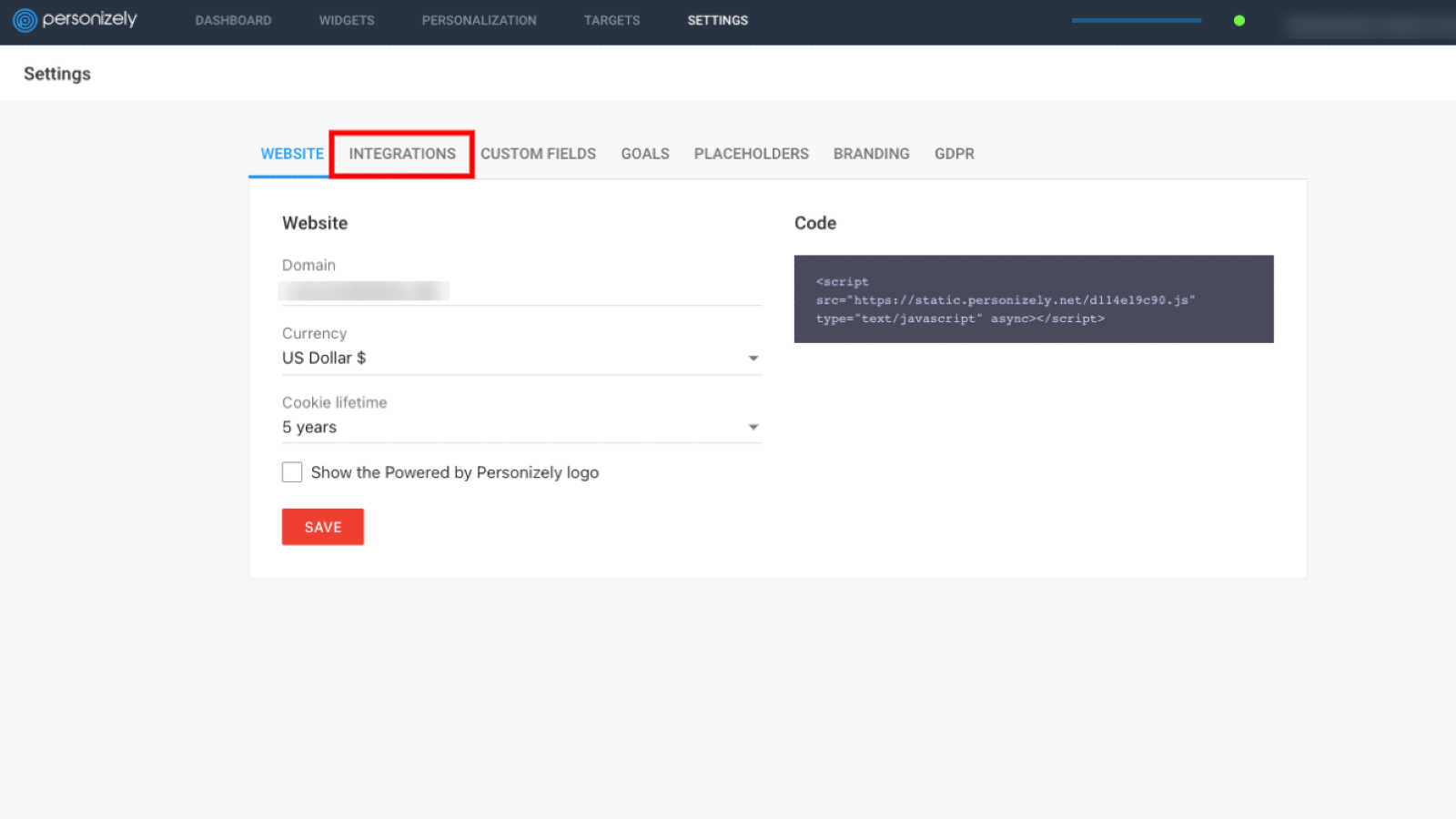
Log in to your Personizely account and go to the Settings tab.
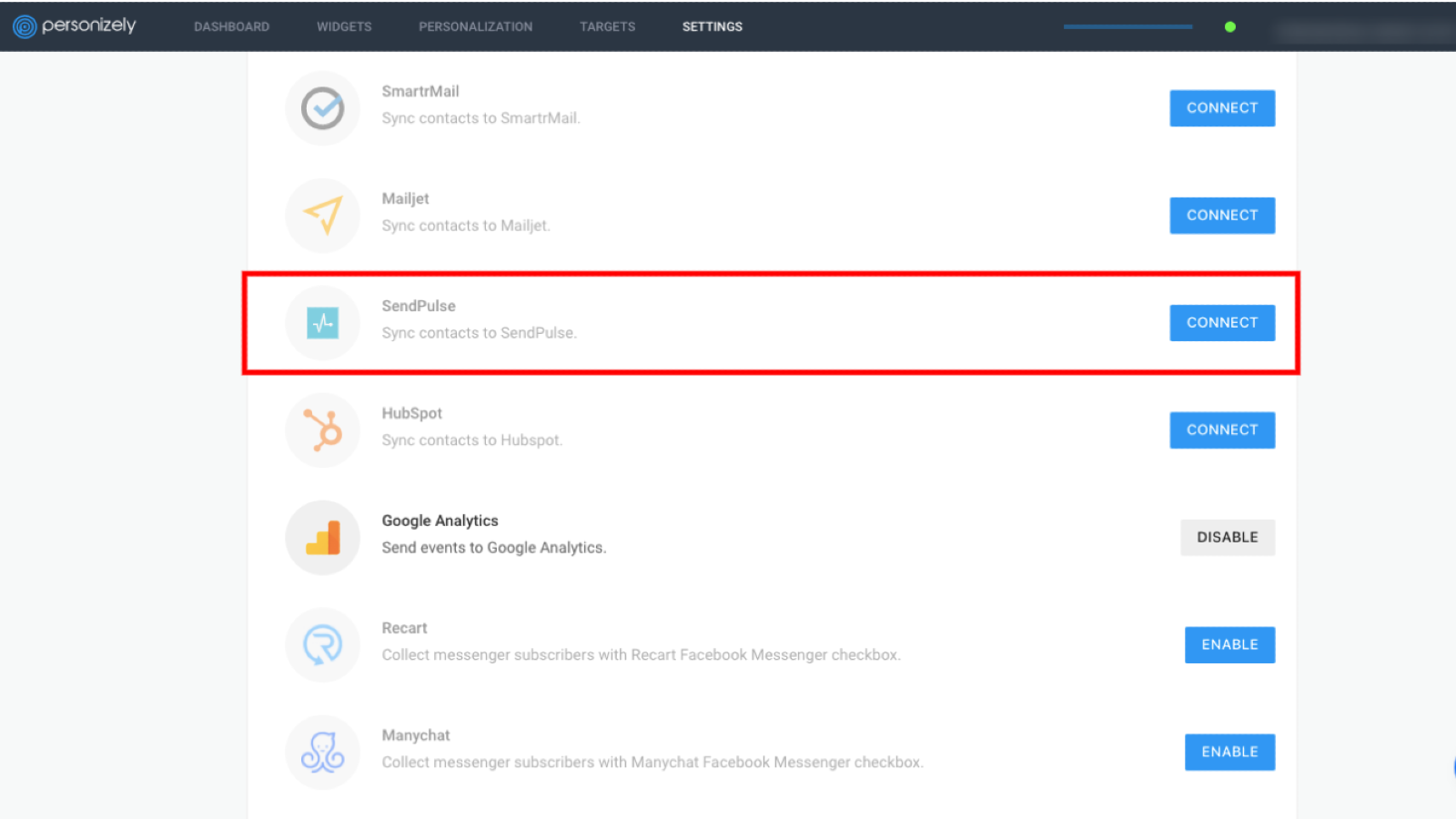
Go to the Integrations section, find SendPulse in the list of integrations, and click Connect.
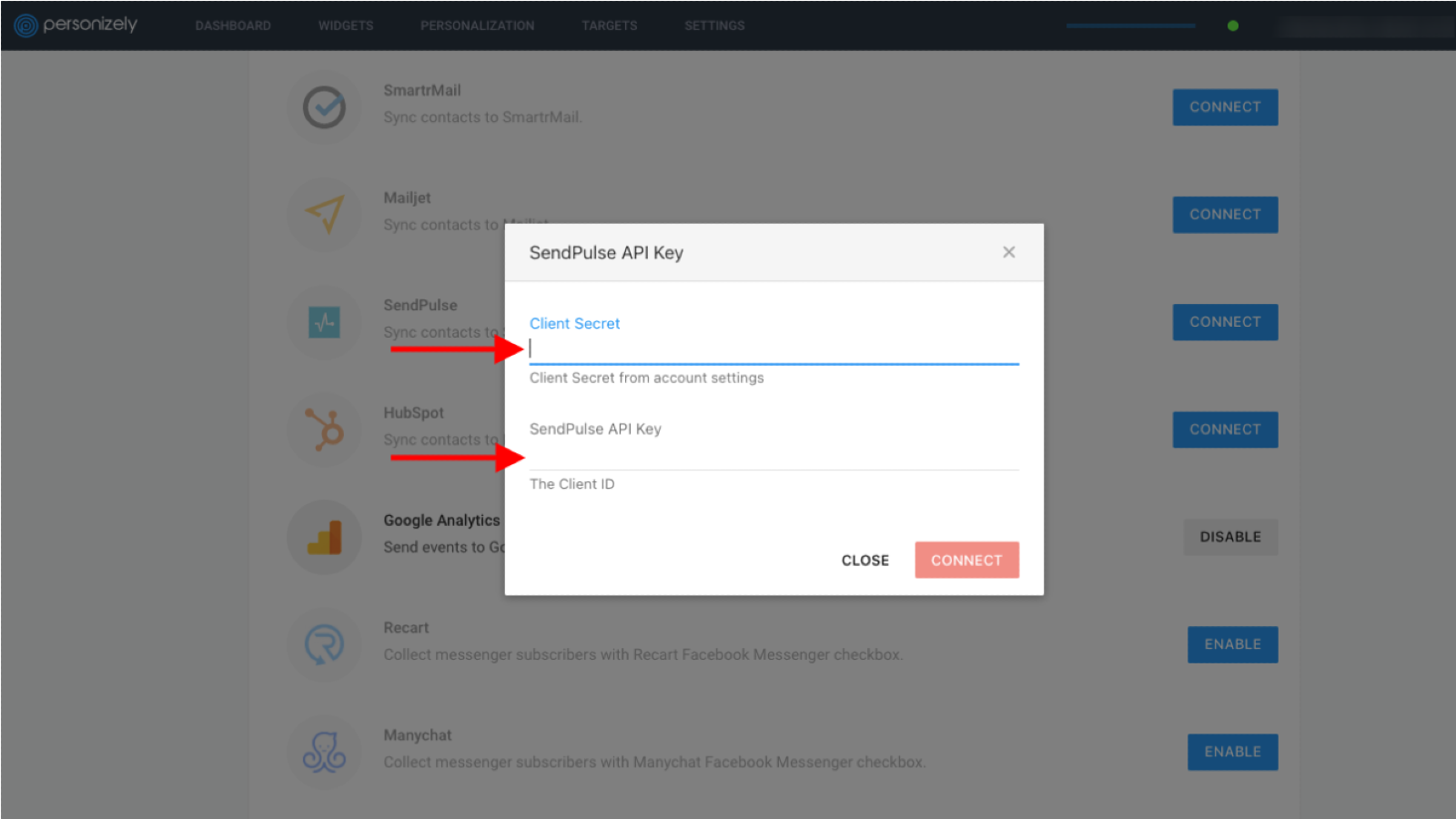
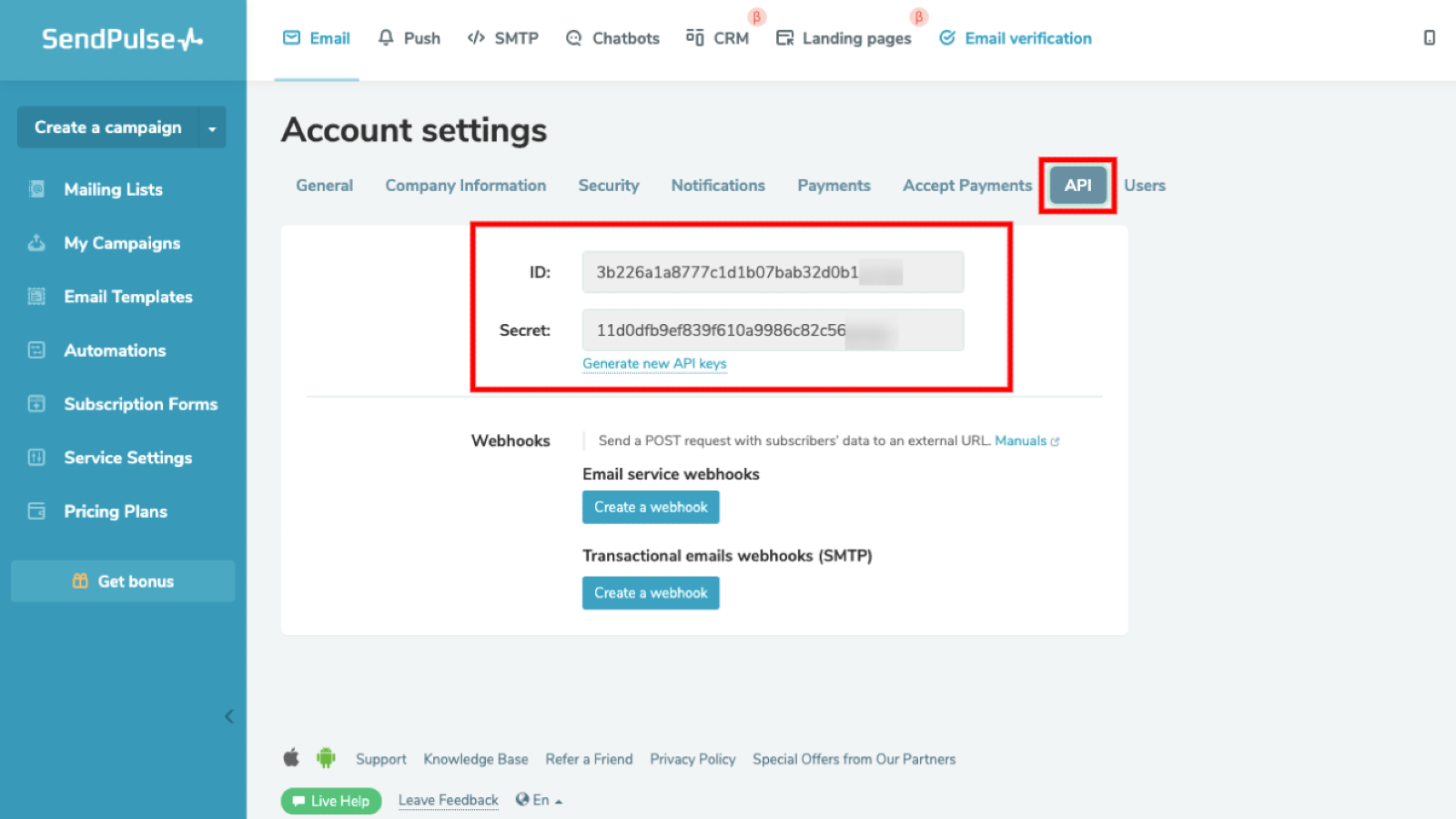
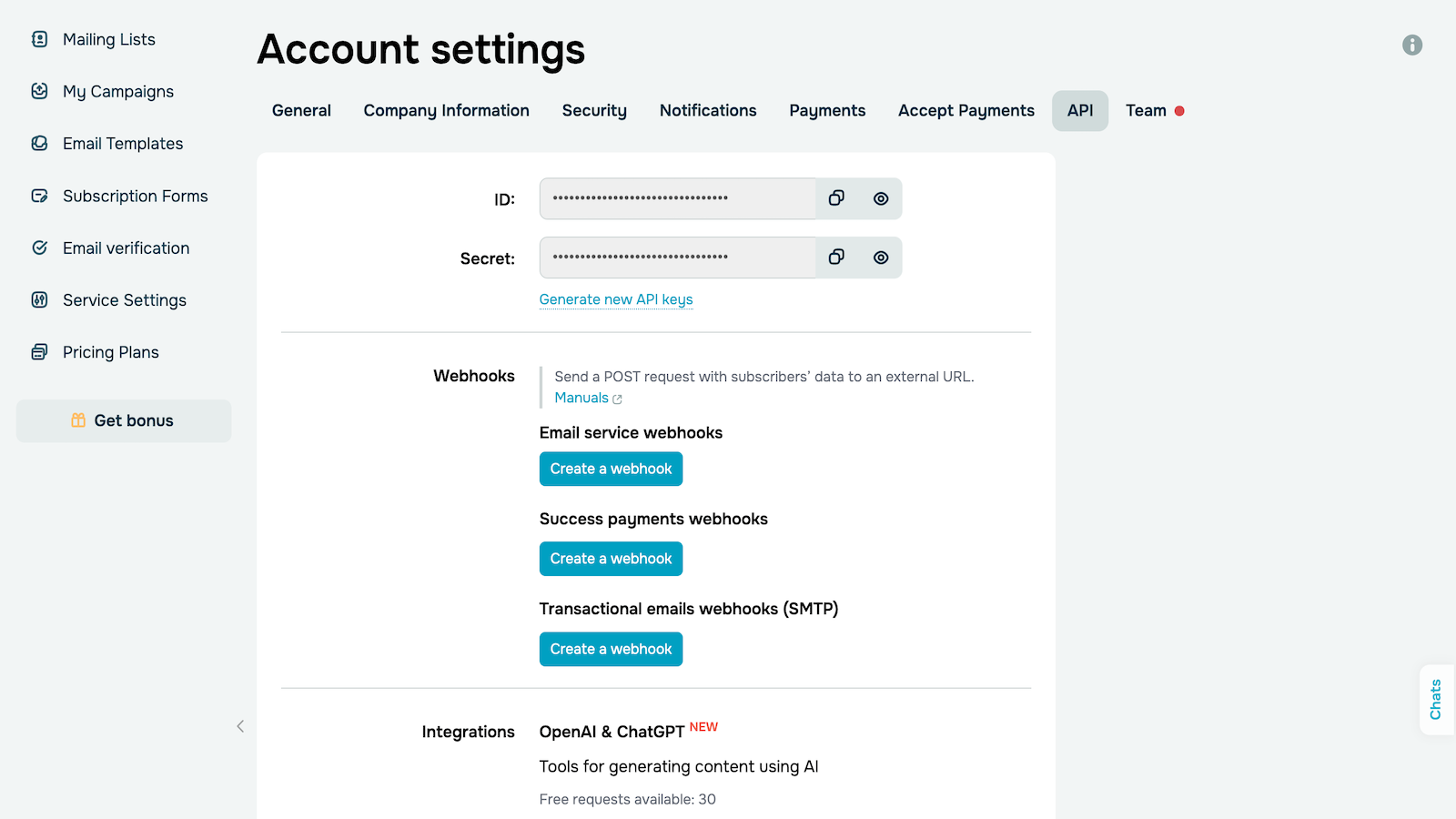
In your SendPulse account > the API tab, copy your ID and Secret. Paste them into the respective fields in Personizely and click Connect.
Once you integrate with Personizely, you will be able to add new contacts from your Personizely account to your SendPulse mailing lists.
Learn more about how to integrate with Personizely.





or