Rozetka
The Rozetka integration lets you sync products and orders between the marketplace and your SendPulse CRM — automatically or on demand. Once connected, new Rozetka orders flow directly into CRM deals, and your product catalog stays up to date in both systems.
Key features:
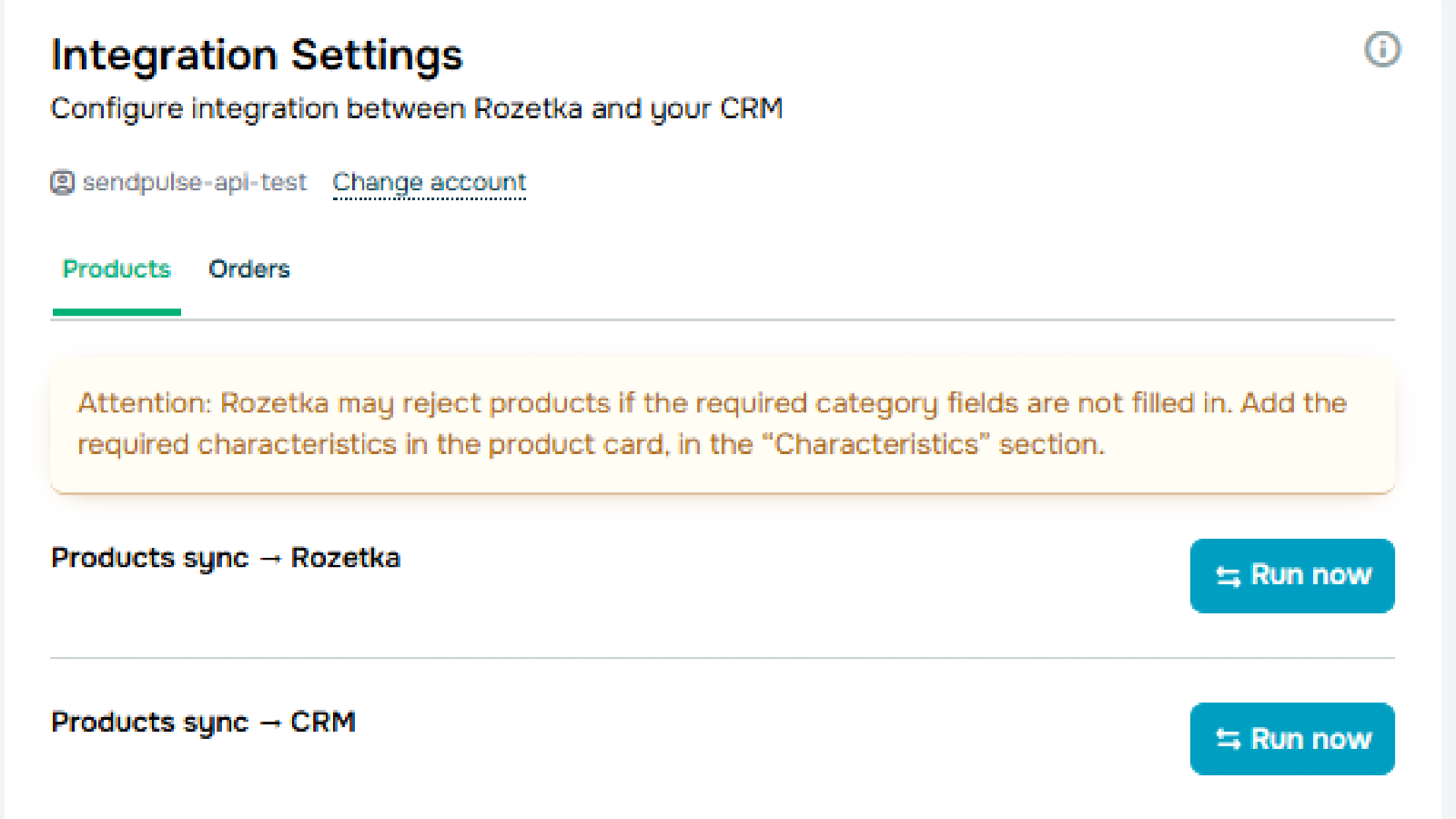
- Sync products between SendPulse CRM and Rozetka to keep your catalog consistent across both platforms. Run sync manually or enable automatic mode — updates will be transferred without any action on your part.
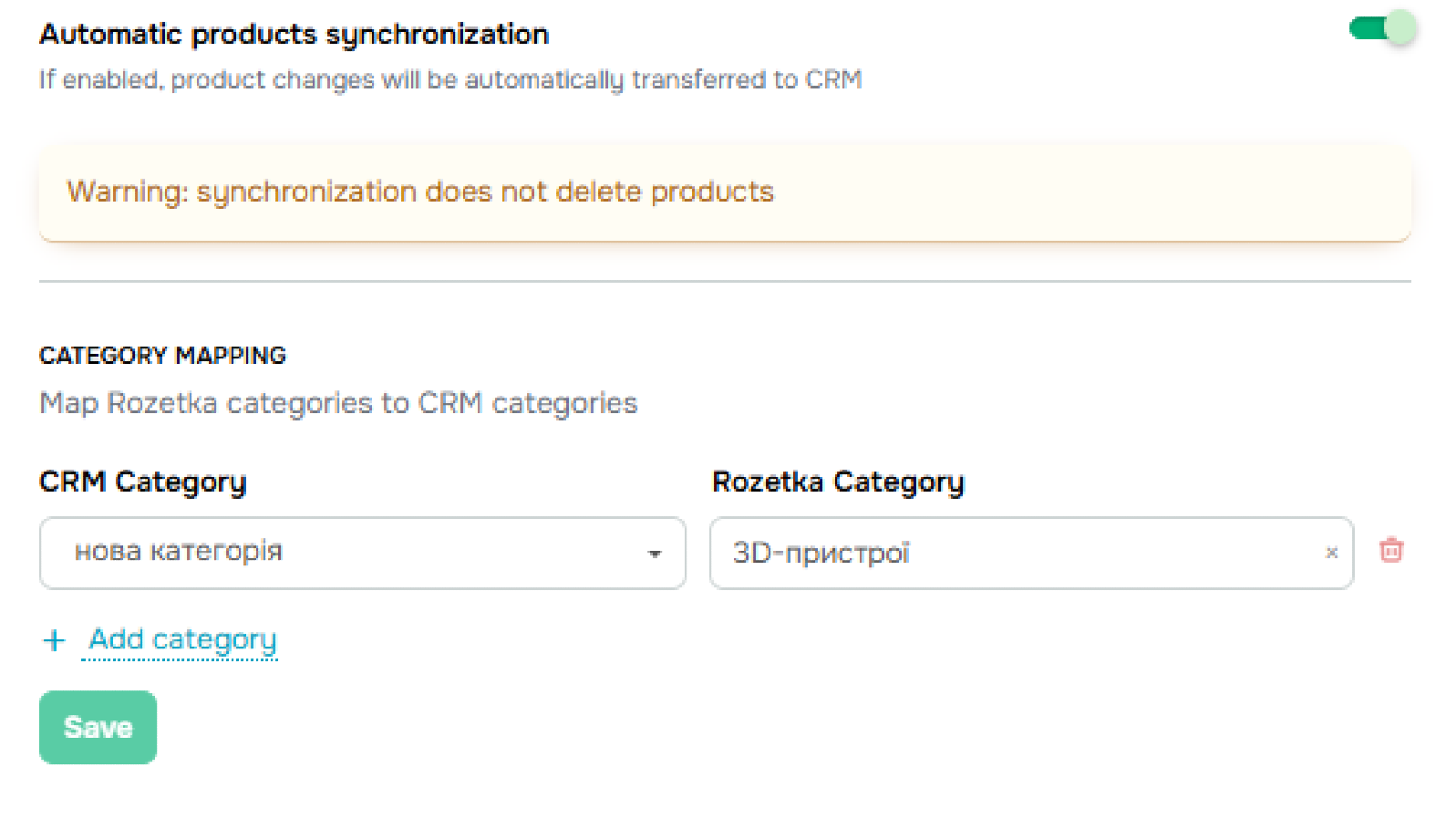
- Set up category mapping so products land in the right Rozetka sections. Marketplace categories are pulled automatically — you simply match them to your CRM categories.
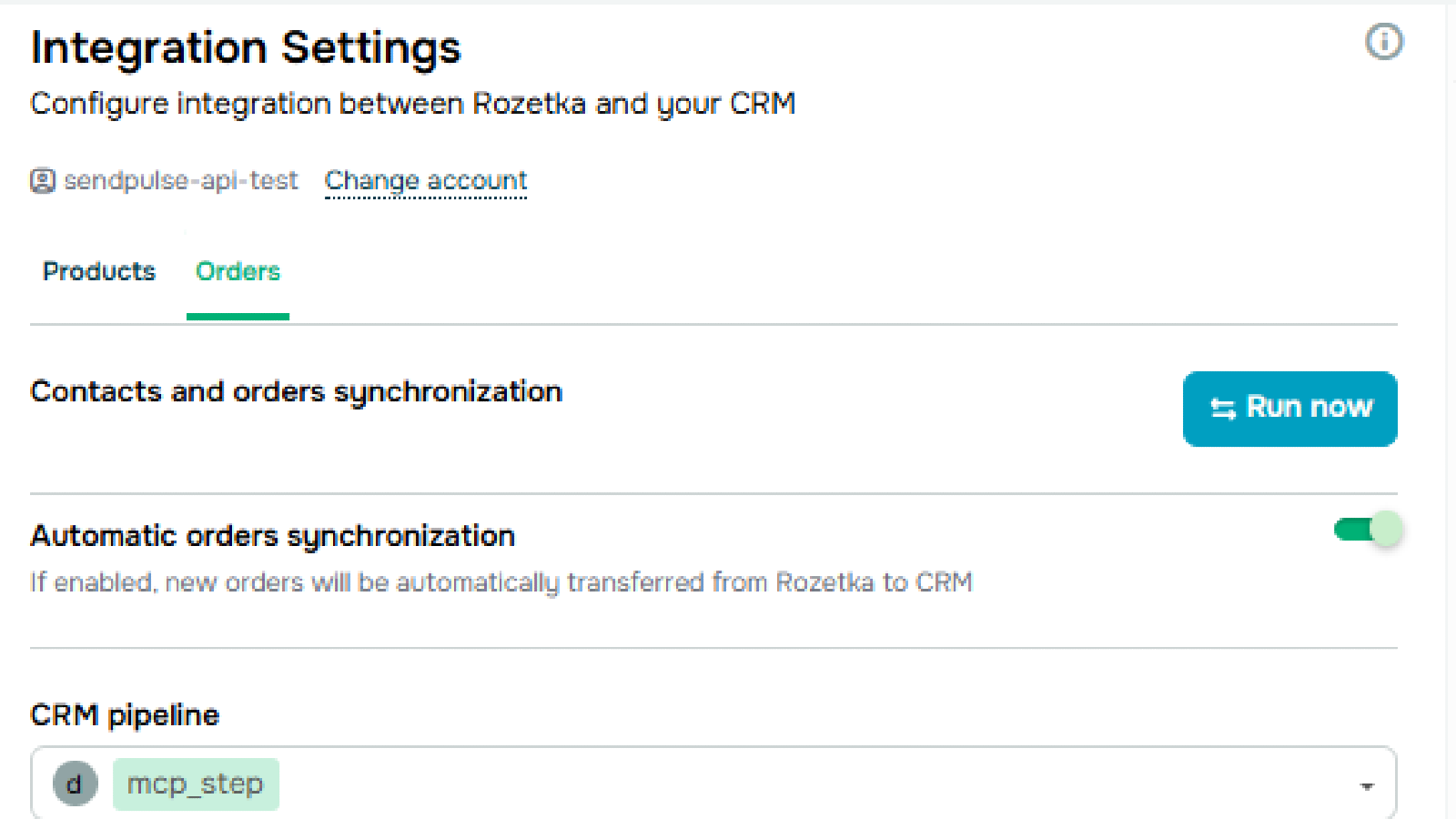
- Receive new Rozetka orders directly in your CRM as deals — complete with contact details, products, and order amount. Assign a responsible manager, choose a pipeline, and set the deal stage where new orders will appear.
- Automate order processing: new orders sync every 15 minutes, and product catalog updates run several times a day, so your CRM data is always fresh.
How to install:
- Log in to your SendPulse account and go to the App Directory.
- Find the Rozetka app and click Install.
- Log in to your Rozetka account and grant the required permissions.
- Go to the Products tab and configure category mapping — match your CRM categories to the corresponding Rozetka categories. Synchronization will not start until this step is completed.
- Save the settings and either run sync manually using the Run now button, or enable automatic synchronization.
- Switch to the Orders tab and configure order sync settings: select a CRM pipeline, enter a deal name, and assign a responsible manager.
- If needed, map Rozetka order fields to the corresponding CRM deal fields.
- Save your settings — new Rozetka orders will now automatically appear in your CRM.
Note: Rozetka may reject products if required category fields are missing. Make sure all mandatory characteristics are filled in on the product card under the Characteristics section. Synchronization does not delete products — it only adds and updates them.





or