Plerdy
Esta integración te permite crear pop-ups para recopilar direcciones de correo electrónico y números de teléfono y exportar automáticamente datos de clientes potenciales a tu cuenta SendPulse.
Funciones
Transfiere automáticamente nuevas direcciones de correo electrónico de Plerdy a tu cuenta SendPulse.
Exporta manualmente los datos de suscriptores de Plerdy a SendPulse.
Cómo integrar Plerdy
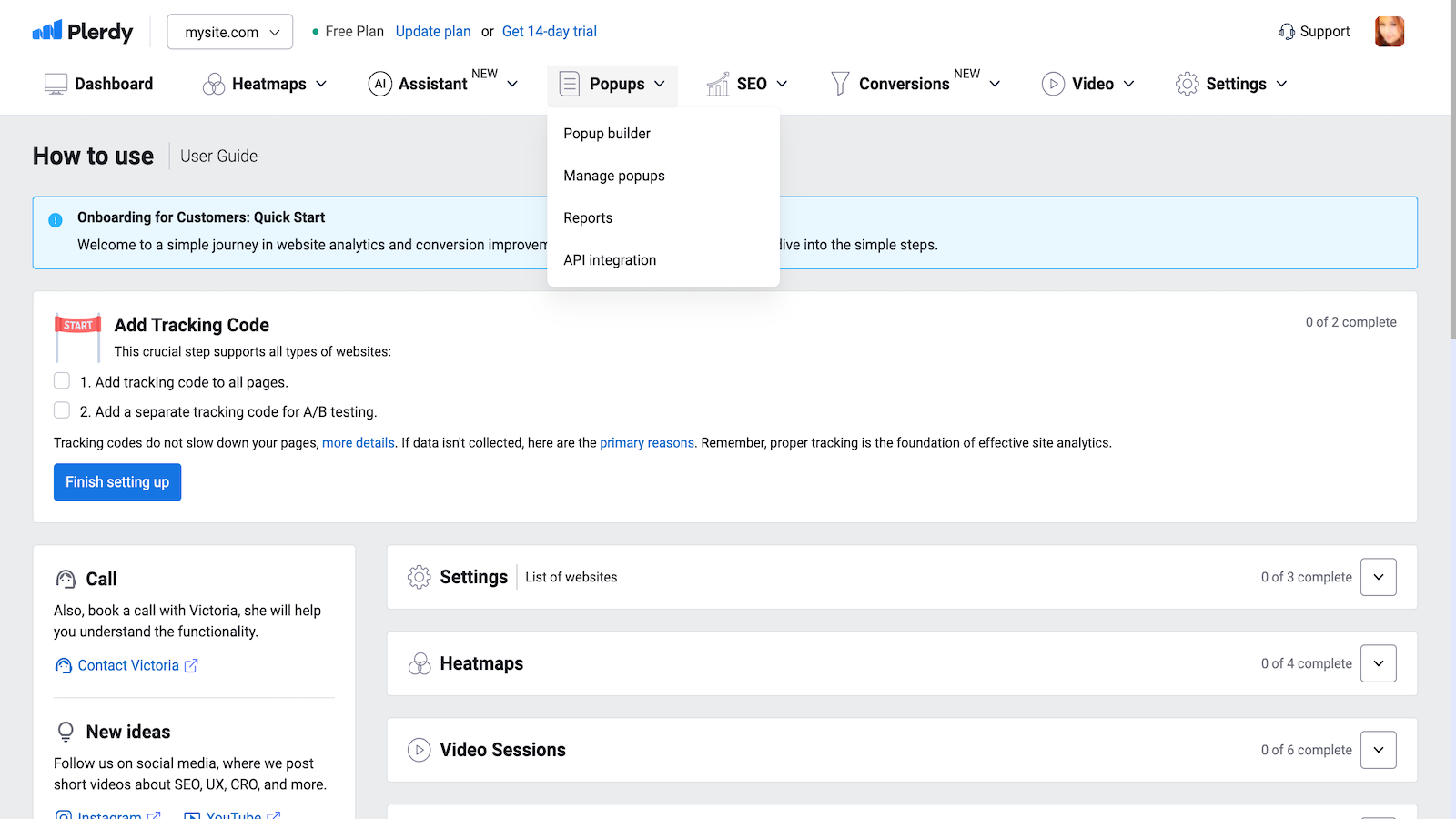
Inicia sesión en tu cuenta de Plerdy. En la sección Popups, selecciona Integración API.
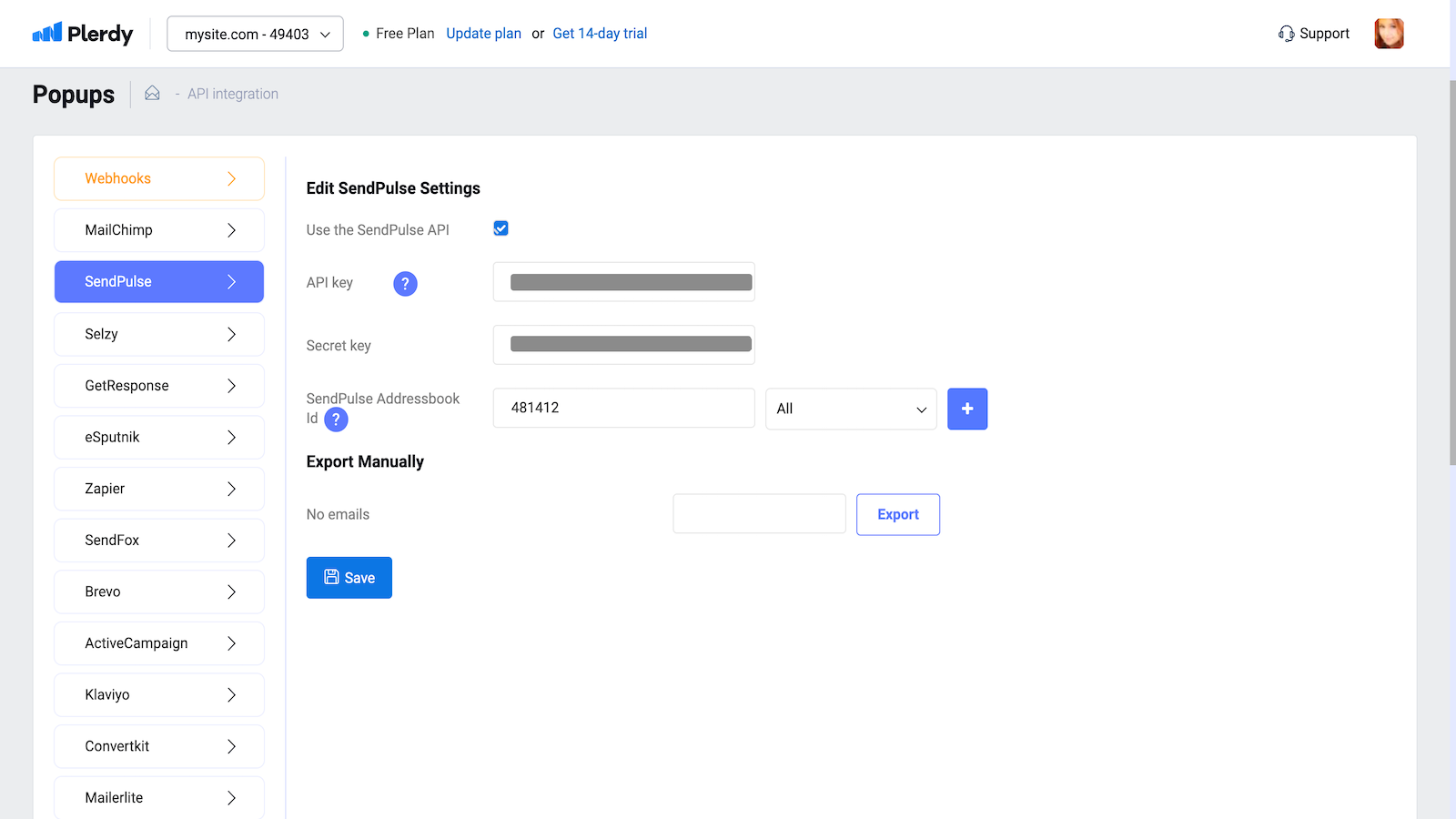
Selecciona SendPulse de la lista de integraciones.
Selecciona la casilla de verificación junto a Usar la API de SendPulse.
En tu cuenta SendPulse > pestaña API, copia tu ID y Secreto. Pégalos en los campos respectivos en Plerdy y haz clic en Conectar.
Crea o selecciona una lista de correo, copia su ID de la barra de direcciones y pégala en el campo correspondiente en Plerdy.
Haz clic en Guardar.
Para exportar manualmente los contactos de tu pop-up, repite los pasos del 1 al 5, selecciona un pop-up y haz clic en Exportar.
También puedes integrar Plerdy usando una plantilla de Zapier prediseñada.





o