Calendly
Эта интеграция позволяет связать Calendly с Automation 360 и CRM-системой SendPulse. После назначения встречи вы можете автоматически создавать контакты и сделки в CRM и отправлять всем участникам триггерные письма-напоминания.

Эта интеграция идеально подходит для менеджеров, HR-специалистов и руководителей удалённых команд — всех, кто проводит онлайн-встречи и стремится оптимизировать рабочие процессы и экономить время.
Возможности
Автоматически создавайте контакты и сделки для запланированных встреч, назначайте участников команды и отслеживайте все действия, связанные со встречами.
Отслеживайте источники встреч, сохраняя UTM-метки в каждой сделке.
Синхронизируйте поля вашей CRM с данными, которые пользователи указывают в Calendly при записи на встречу.
Автоматически отправляйте участникам триггерные письма сразу после записи на встречу с помощью Automation 360.
Как настроить интеграцию с Calendly
Войдите в свой аккаунт Calendly.
Войдите в свой аккаунт SendPulse, перейдите в Marketplace и найдите интеграцию Calendly.
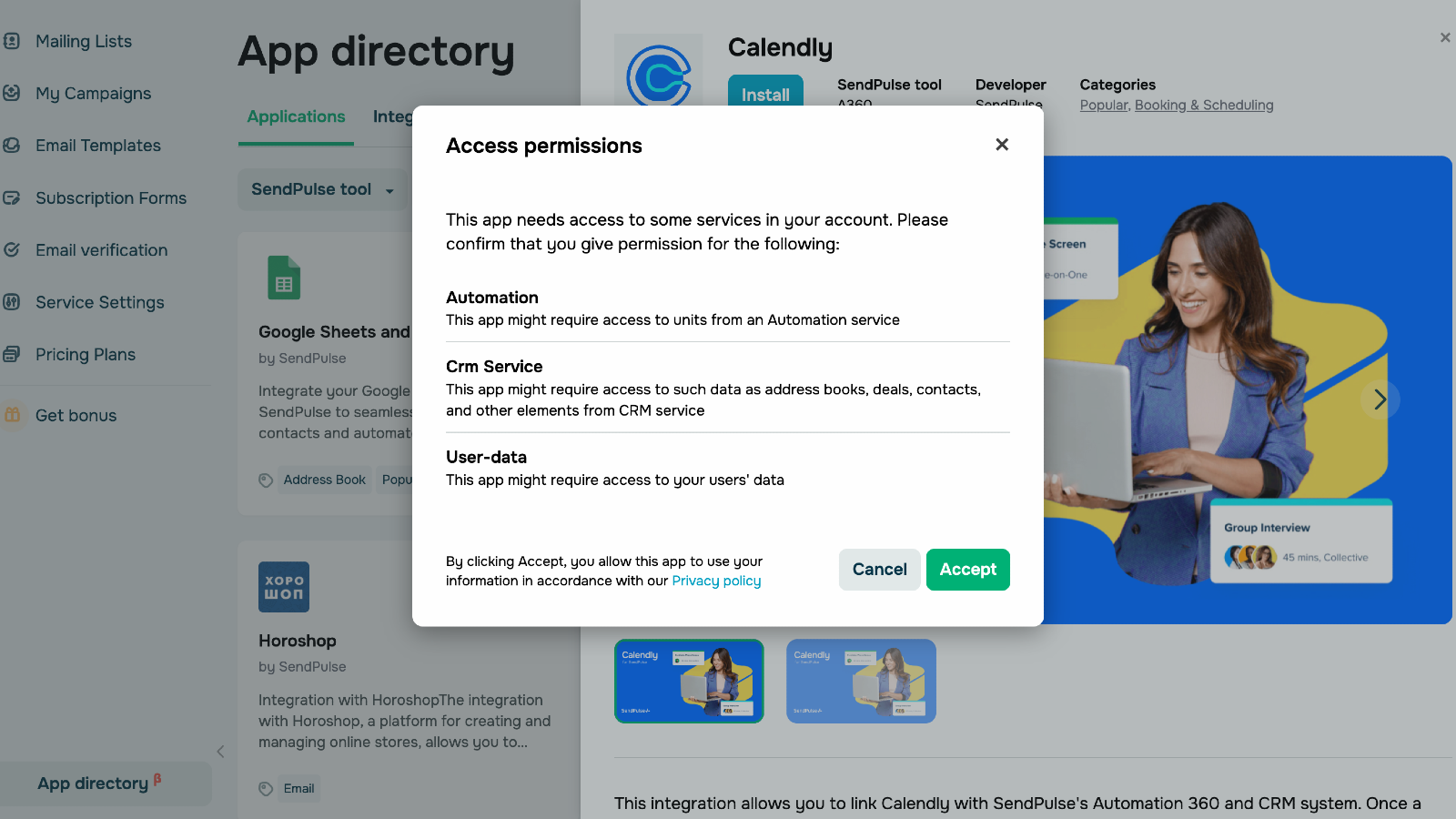
Нажмите «Установить» и предоставьте необходимые разрешения, нажав «Принять». После установки интеграция появится в списке доступных интеграций.
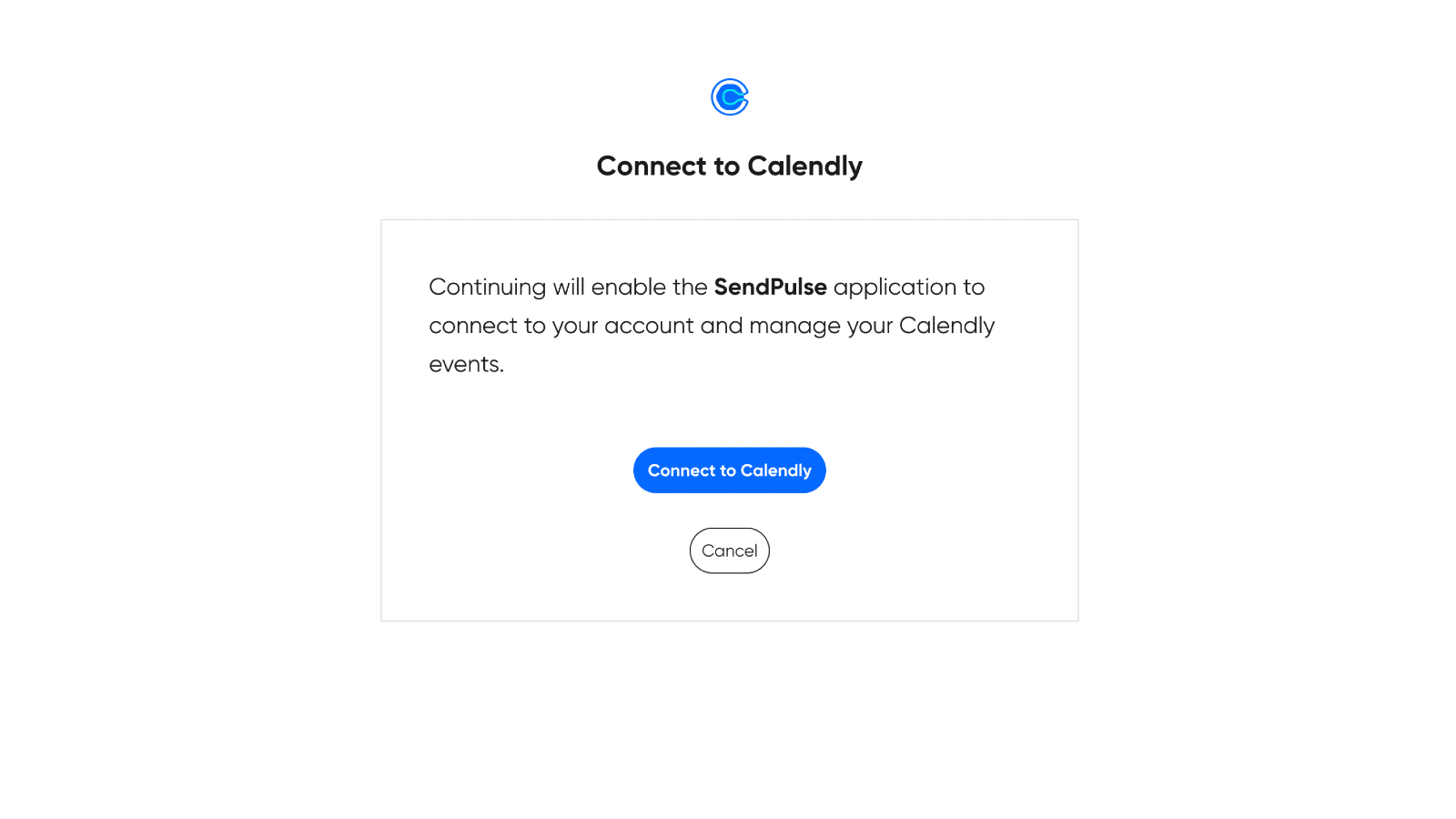
Нажмите «Продолжить с Calendly», а затем «Подключиться к Calendly».
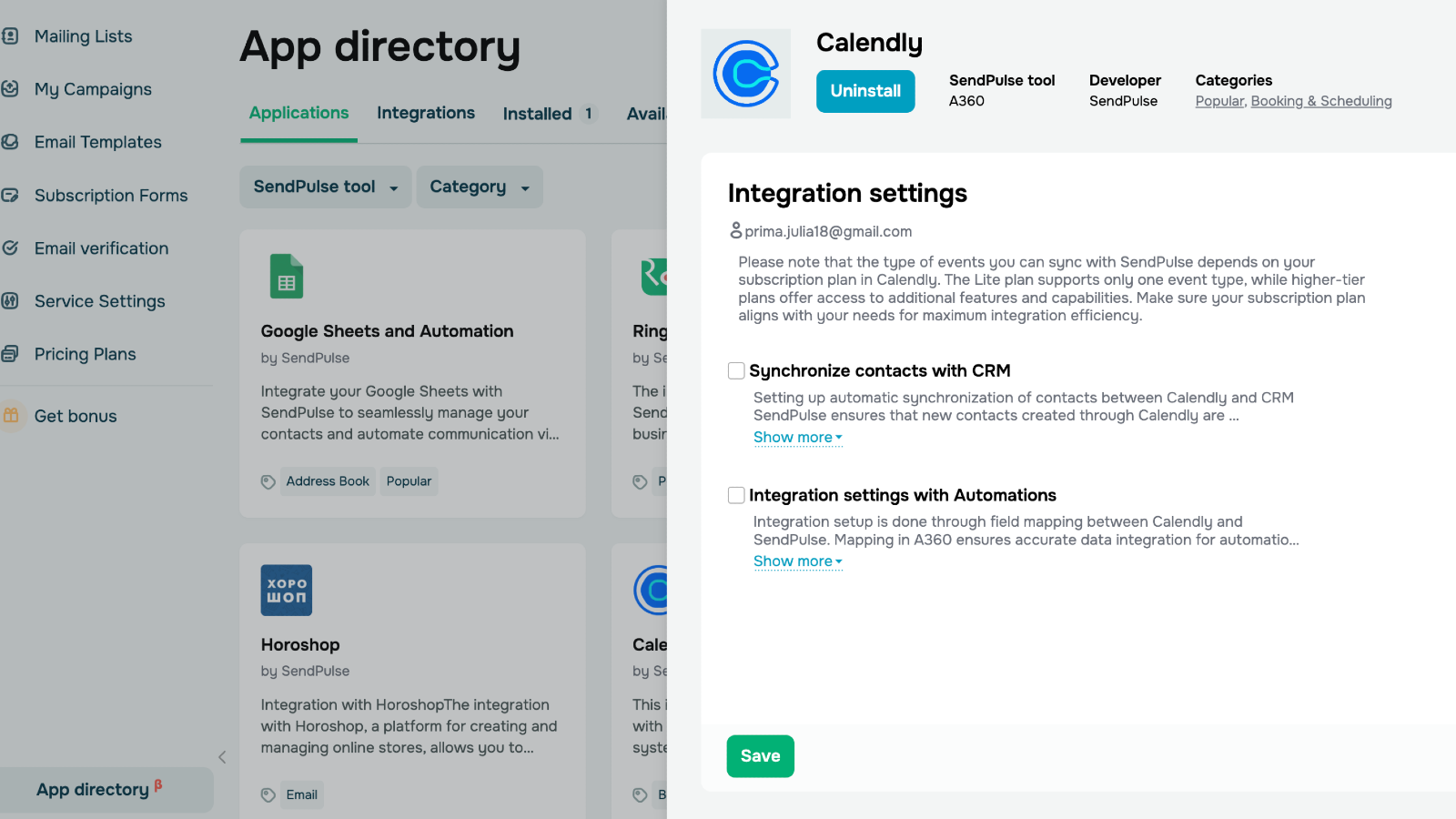
Выберите «Синхронизировать контакты с CRM», чтобы автоматически импортировать контакты из Calendly в CRM-систему, и/или «Настройки интеграции с Automations», чтобы запускать автоматические email-рассылки после назначения новой встречи. Чтобы синхронизировать Calendly с CRM-системой, сопоставьте поля Calendly с полями вашей CRM. Чтобы синхронизировать с Automation 360, выберите событие, которое будет запускать вашу цепочку писем, и сопоставьте поля.





или