Your email marketing platform is one of the most important decisions you’ll make for your business, as it shapes how you reach your audience, nurture leads, and drive revenue. Moosend has earned its reputation as a reliable, beginner-friendly tool, but it’s not the perfect fit for everyone.
Maybe you’ve outgrown its feature set. Maybe the pricing no longer works for your budget. Or maybe you’re simply curious about what else is out there. Whatever the reason, there’s no shortage of strong Moosend competitors worth your attention.
In this post, we break down the best alternatives to Moosend, covering key features, pricing, and what makes each one stand out. Let’s get into it.
Disclosure: This article is published by SendPulse, which offers its own email marketing platform. We strive to be objective and do not earn commissions from any links in this article.
TL;DR Top Moosend alternatives at a glance
Please note that all information in this post, including features, pricing, and positioning, is accurate at the time of writing, which is March 2026.
Before moving to a detailed overview of Moosend alternatives, here’s a quick side-by-side comparison of all the platforms covered in this post. Click any platform name to jump straight to its full review.
| Tool |
Free plan |
Starting price |
Key features |
Best for |
| SendPulse |
✅
500 contacts,
15k emails |
$8/mo for
500 contacts,
∞ emails |
Multi-channel marketing, automation, built-in CRM system, dynamic segmentation, AI assistants |
SMBs and eCommerce brands looking for an all-in-one platform |
| MailerLite |
✅
500 contacts,
12k emails |
$9/mo for
500 contacts,
∞ emails |
Campaign monetization options, RSS-to-email campaigns, A/B and multivariate testing |
SMBs, content creators, and online sellers looking to integrate email with monetization |
| HubSpot |
✅
2 users,
2k emails,
1 automated action |
$9/mo for
1k contacts,
5k emails,
10 automated actions |
Dynamic content, CRM-powered email personalization, AI, smart optimization tools |
SMBs and mid-sized companies that want an all-in-one platform |
| Campaign Monitor |
❌
30-day free trial |
$11.7/mo for
500 contacts,
2,5k emails |
Targeted segmentation, drip campaigns, pre-built customer journey flows |
SMBs that want an easy-to-use platform for creating pro-level campaigns |
| Benchmark Email |
✅
500 contacts,
2,5k emails |
$19/mo for
1k contacts,
10k emails |
AI tools for email and image creation, email personalization with merge fields, pre-defined content blocks |
Small businesses and solo marketers who need a straightforward email marketing platform |
| Emma |
❌
only a demo |
$99/mo for
10k contacts |
Smart segmentation, dynamic content, A/B testing for content and subject lines |
Medium to large businesses that need scalable automation |
| Brevo |
✅
300 emails/day, 2k contacts for automation |
$8.08/mo for
500 contacts,
5k emails |
AI-powered predictive sending, AI content generator, multiple communication channels |
SMBs and eCommerce brands that want to combine email with SMS and WhatsApp |
| Elastic Email |
✅
without sending to contacts |
$19/mo for
1m contacts,
10k emails |
Real-time delivery insights, AI template designer, bulk email verification, paid newsletters |
SMBs and independent content creators who need an affordable email marketing solution |
| Drip |
❌
14-day free trial |
$39/mo for
2,5k contacts, ∞ emails |
Dynamic product blocks and promo codes,
pre-built and custom automation workflows, behavior-based segmentation |
eCommerce businesses and online stores that require behavior-based automation |
| Sendlane |
❌
only a demo |
$83/mo for
∞ contacts,
50k emails |
Behavior tracking, dynamic content, multivariable segmentation,
machine learning sending time optimization |
eCommerce businesses and online stores with high sending volume |
| Kit |
✅
10k contacts, ∞ emails,
1 automation |
$33/mo for
1k contacts, ∞ emails,
∞ automations |
Rich content and personalization tools, monetization options, A/B testing with up to 5 variants |
Creators and small businesses who rely on email as a revenue channel |
| Omnisend |
✅
250 contacts,
500 emails |
$11.20/mo for
500 contacts,
6k emails |
AI features for content creation, smart personalization and segmentation, omnichannel campaigns |
eCommerce brands and online businesses that rely on email and omnichannel messaging |
| Mailchimp |
✅
250 contacts,
500 emails |
$13/mo for
500 contacts,
5k emails |
AI content creation tools, product recommendations, behavior-based automation triggers |
SMBs and online stores that want automation, segmentation, and AI assistance without complex technical setup |
| EmailOctopus |
✅
2,5k contacts,
10k emails |
$9/mo for
500 contacts,
10k emails |
Simple campaign creation and scheduling, HTML editor and templates |
Small businesses and solopreneurs who want a simple and affordable email marketing solution |
| AWeber |
✅
500 contacts,
3k emails |
$12.50/mo for
500 contacts,
5k emails |
AI email creation, email automation and behavioral triggers, email editor with Canva integration |
Small and growing businesses that need an easy-to-use email marketing solution with design tools |
All of these are strong alternatives to Moosend, each excelling in different areas like automation, segmentation, or omnichannel marketing. Keep your specific needs and budget in mind to find the right match.

Free email marketing that scales
Use an AI assistant, pre-made templates, robust automation, and more to run impactful email campaigns without coding. Send up to 15,000 monthly emails at no cost.
Get started for free
Quick Moosend feature overview
G2: 4.7 ⭐ | Capterra: 4.6 ⭐
Before diving into the best alternatives to Moosend, it helps to understand what the platform actually brings to the table. Here’s a quick look at its core email marketing features:
- Drag-and-drop email editor. With Moosend, you can create email campaigns from scratch without any technical expertise.
- Email templates. This software lets you choose from 110+ free email templates designed for various goals and industries and customize them to your liking.
- Advanced personalization. Besides addressing subscribers by their names, Moosend lets businesses tailor content based on their previous purchases, abandoned items, weather-based recommendations, and more.
- Product recommendations. For eCommerce businesses, Moosend enables dynamic product suggestions inside emails to increase engagement and personalization.
- Segmentation. Moosend lets you segment your audience based on their browsing behavior or email interactions to deliver more personalized user experiences.
- Email marketing AI. Moosend’s AI Writer can help you auto-generate email copy and subject lines based on your prompts.
- Audience discovery. Moosend uses AI insights to analyze customer behavior, identify patterns, and help businesses create more personalized and effective email campaigns.
- Email automation. This platform allows you to automate your email marketing campaigns with various triggers, conditions, and actions, including precise scheduling and “and”/”or” logic.
- Transactional emails. Moosend lets you use its email API to send relevant information directly to your audience.
- A/B testing. This email marketing platform enables you to optimize your email performance by A/B testing different subject lines and content to see what resonates best with your audience.
- Deliverability tools. This platform includes features designed to improve inbox placement and ensure your emails reach subscribers reliably.
As you can see, Moosend offers a great set of features helpful for creating and launching email campaigns. Its strengths in automation, segmentation, and ease of use make it particularly attractive for small to medium-sized businesses.
Reasons users may look for Moosend alternatives
Moosend is a solid platform, but it’s not without its shortcomings. Based on user reviews on G2, here are the most commonly reported drawbacks:
- Limited customization. There’s no HTML builder, and some users feel the templates and color schemes leave a lot to be desired, which is a dealbreaker for teams that heavily rely on custom designs.
- Poor customer service. Users have reported encountering bugs without receiving helpful assistance, and some mention getting contradictory solutions from different support agents.
- Learning curve. While Moosend markets itself as beginner-friendly, many users find the setup trickier than expected and discover that mastering all its features requires more advanced knowledge than they initially anticipated.
- No free plan. Moosend no longer offers a free plan, and according to several reviews, existing free plans were quietly switched to free trials without prior notice, making it a pricier option for small businesses.
- Basic reporting. Some users note that Moosend’s analytics and reporting tools feel limited compared to its alternatives.
- Deliverability concerns. Several reviews mention that emails occasionally land in spam or Gmail’s Promotions tab instead of the primary inbox.
- Limited integrations. Moosend’s native integrations are somewhat limited compared to other email marketing platforms, and several users have noted this as a drawback.
- No mobile campaign editor. Moosend’s interface doesn’t fully support creating or editing campaigns from mobile devices, which limits flexibility for teams that need to work on the go.
- Complexity for multi-channel campaigns. Also, some Moosend reviews mention that advanced or multi-channel automation workflows are difficult to set up.
These issues may be dealbreakers for some and minor inconveniences for others. It really comes down to your business size and needs. Either way, it’s worth considering them alongside Moosend’s strengths before making a decision.
Top alternatives to Moosend
If you’re considering alternatives to Moosend for your email marketing and automation needs, there are numerous excellent platforms available. In this section, we’ll take a closer look at some of the best Moosend competitors.
SendPulse
G2: 4.6 ⭐ | Capterra: 4.6 ⭐
SendPulse is an all-in-one marketing automation platform that lets you combine multiple marketing channels into powerful sales pipelines to effectively reach and engage your target audience. The platform’s intuitive drag-and-drop email builder offers all the necessary features to effortlessly create high-quality, responsive email campaigns. Alternatively, you can choose a ready-made template from the library and customize it to fit your brand.
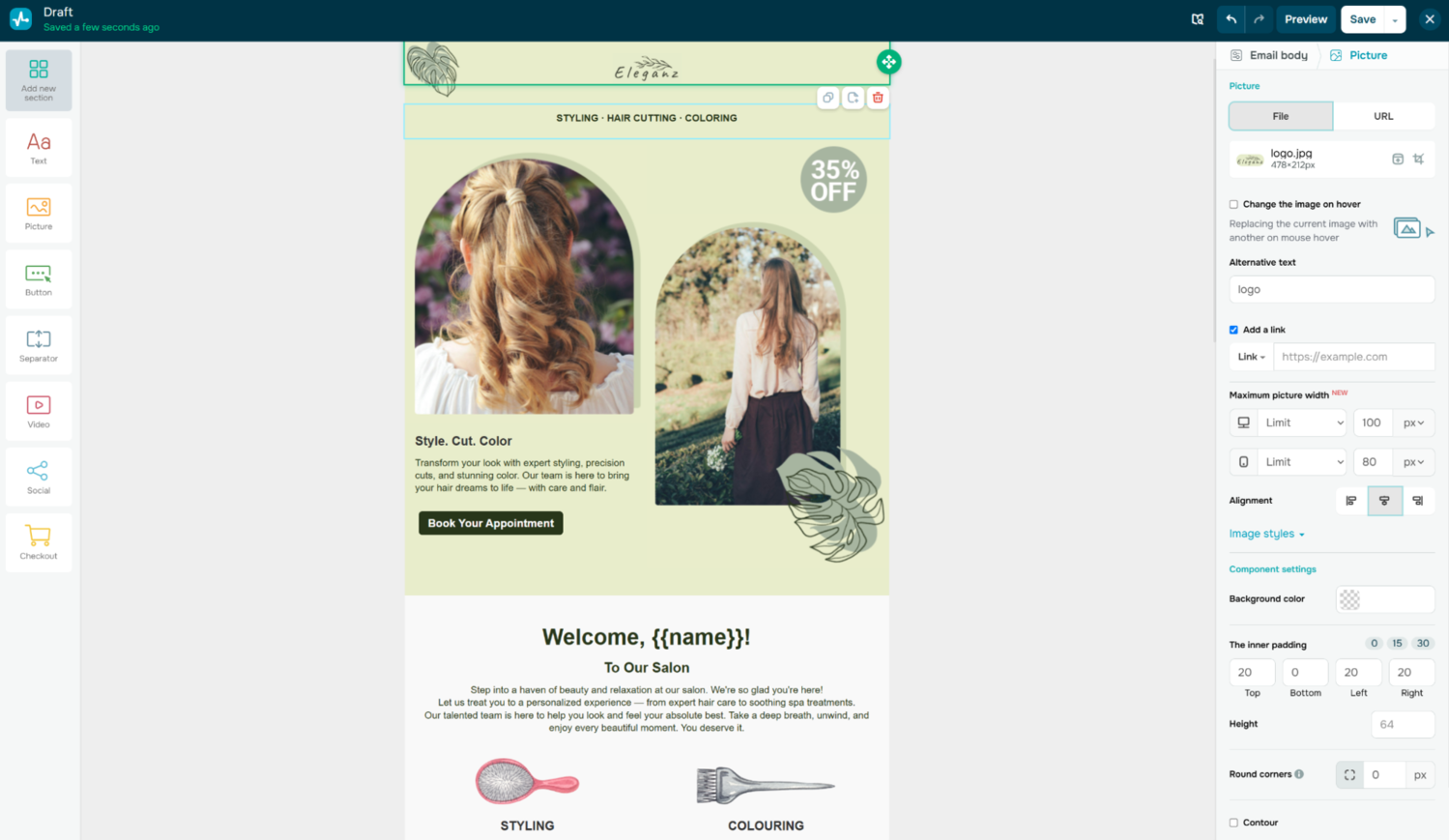 Creating a custom email template in SendPulse
As a Moosend alternative, SendPulse lets you build multi-step, multi-channel automation flows triggered by user behavior and actions. The automation builder offers AI-driven assistance with flow building and element settings. On top of that, dynamic segmentation automatically updates your audience groups in real time based on subscriber behavior and preferences. SendPulse also comes with AI-powered tools that let you generate, refine, translate, and adjust email copy in seconds.
Here’s a breakdown of SendPulse’s key email marketing features:
- drag-and-drop and HTML email editors;
- 140+ responsive email templates;
- advanced segmentation and email personalization;
- dynamic segmentation that adapts to changes in real time;
- AI-powered tools for email copy and subject line generation, translation, text enhancement, etc.;
- dynamic email content like dynamic text adjustments;
- A/B testing;
- double opt-in;
- built-in email address verifier and spam checker;
- automated resending of unread campaigns;
- payment processing in emails;
- multi-channel marketing automation.
Cons. Some advanced features, like dynamic segmentation or complex automation flows, are locked behind higher-tier plans. The free plan is capped at only 500 subscribers.
Pricing. SendPulse offers a free plan that covers up to 500 subscribers and 15,000 emails per month. Paid plans start at $8/month for 500 subscribers with unlimited email sends, and can be scaled to match your list size. Pay-as-you-go options are also available if you’d rather purchase email credits as needed.

Power up your business with smart tools
From solo creators to global brands, thousands of customers trust SendPulse to run email campaigns, chatbots, automations, and more — all in one place.
Get started for free
MailerLite
G2: 4.6 ⭐ | Capterra: 4.7 ⭐
MailerLite is an email marketing solution built to help businesses create, send, and manage email campaigns. It covers all the essential features, including an intuitive drag-and-drop editor, an HTML editor, an AI writing assistant, pre-made templates, email marketing automation features, segmentation, and personalization.
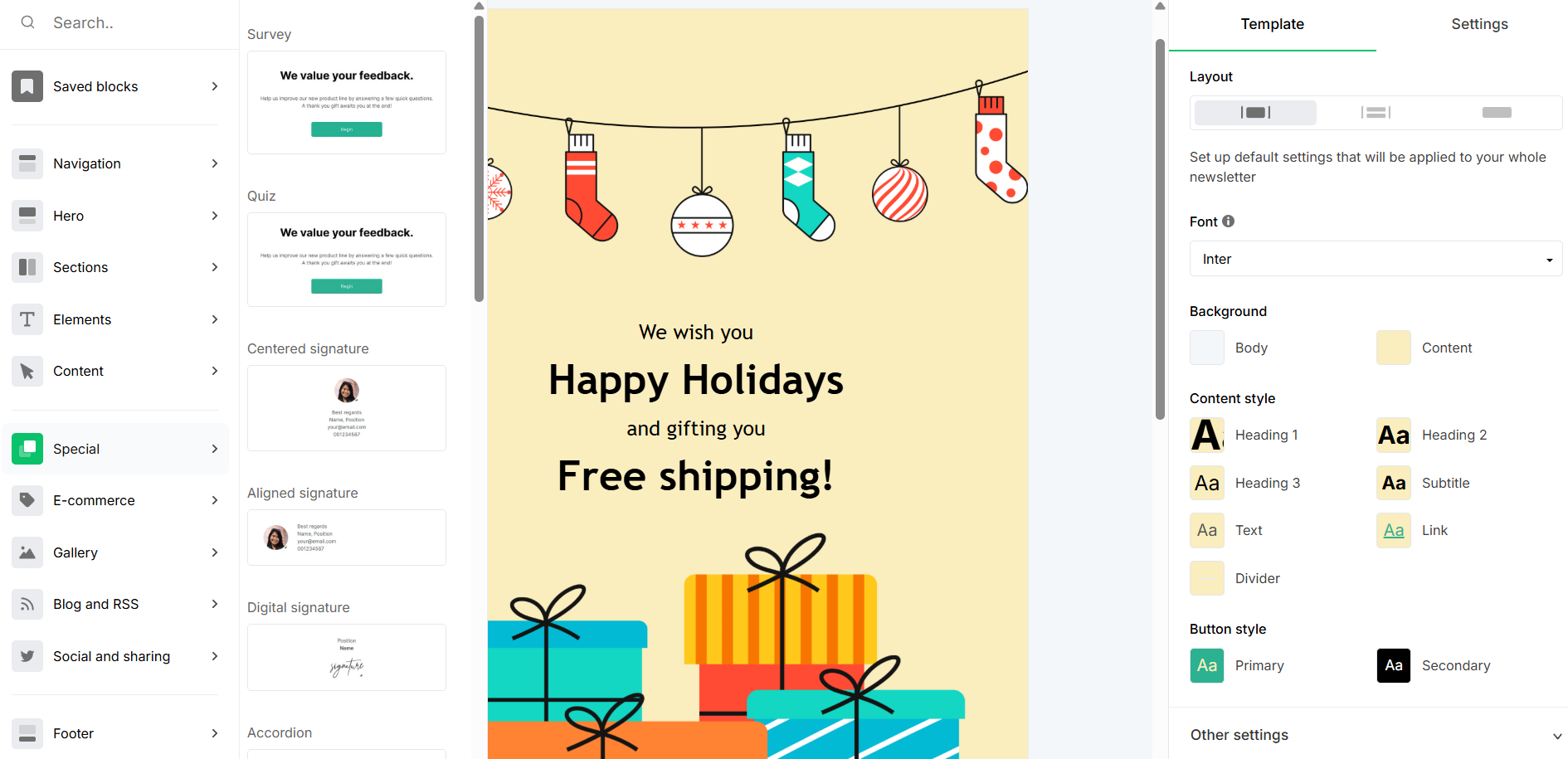 Customizing an email template in MailerLite
One feature that sets this alternative to Moosend apart is its campaign monetization options, which let businesses embed custom product blocks and sell newsletter subscriptions directly from their emails.
This Moosend competitor also goes beyond basic personalization with dynamic content blocks and Smart Sending, which uses machine learning to deliver emails at the best time for each subscriber. Its built-in A/B testing, countdown timers, surveys, and coupon blocks add another layer of tools to help you boost engagement and drive conversions.
Here are the main features offered by MailerLite:
- drag-and-drop and HTML email editors;
- rich-text editor and AI email writing assistant;
- responsive newsletter templates;
- Smart Sending using ML-based send-time optimization;
- dynamic email content and advanced personalization;
- eCommerce platform integrations;
- campaign monetization features;
- email marketing automation with multiple triggers;
- campaign auto-resending;
- RSS-to-email campaigns;
- segmentation, tagging, and custom variables;
- A/B testing;
- click maps and advanced campaign reporting.
Cons. Be aware that free and cheapest paid plans offer limited support options and availability. Also, some features, including a custom HTML editor and multiple automation triggers, are locked behind high-tier plans.
Pricing. MailerLite’s free plan covers up to 500 subscribers and 12,000 emails per month. Paid plans start at $9/month and include unlimited emails, 500 subscribers, dynamic emails, and auto-resending. More advanced features, such as the custom HTML editor and AI tools, are only available on higher-tier plans.
HubSpot
G2: 4.4 ⭐ | Capterra: 4.5 ⭐
HubSpot is a comprehensive CRM platform that helps businesses manage and optimize their marketing, sales, and customer service operations. It offers tools for email marketing, social media management, content management, SEO, and analytics.
In terms of email marketing, this Moosend competitor offers an intuitive visual email builder, customizable pre-designed templates, AI-powered tools for generating subject lines and email copy, as well as robust personalization and automation features.
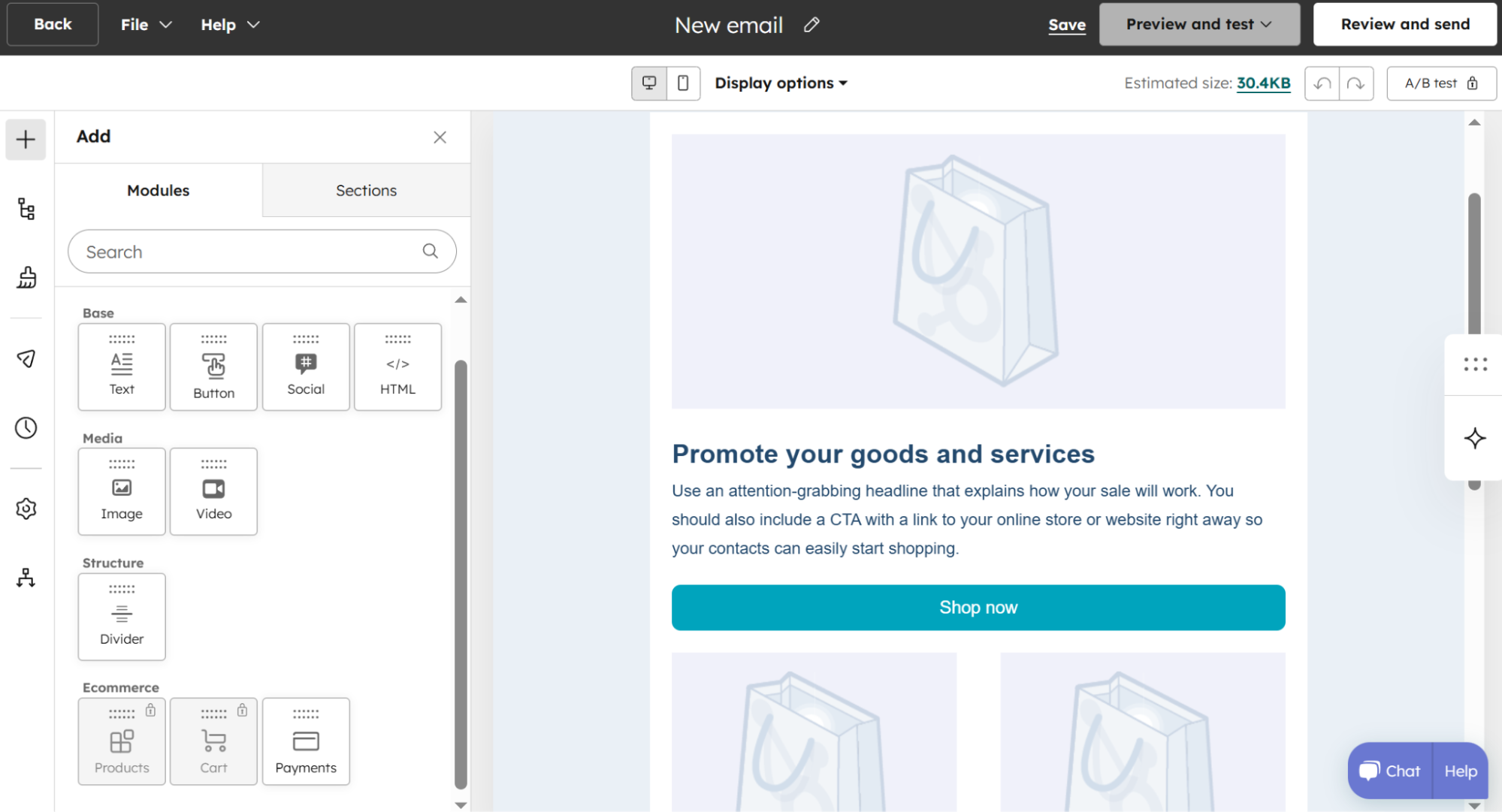 Creating a promotional email template with HubSpot’s visual builder
HubSpot’s tools let you tailor emails to individual contacts using CRM system data, schedule campaigns for optimal delivery, and measure performance with A/B testing and detailed analytics.
HubSpot’s core features for email marketing include:
- drag-and-drop email editor;
- email campaign personalization using CRM system data;
- AI writing assistant for subject lines and email copy;
- email automation workflows with triggers based on opens, clicks, and engagement;
- dynamic content blocks for different audience segments;
- A/B testing and multivariate testing;
- smart send-time optimization;
- email health and performance analytics;
- RSS-to-email campaigns;
- programmable email content powered by CRM data or HubDB tables;
- omnichannel automation integration.
Cons. The cheapest paid plan includes very limited automation. Besides, if you exceed your current contact tier, your account will be upgraded to the next contact tier automatically.
Pricing. This Moosend alternative offers a free plan that includes up to 2 users, 2,000 emails per month, 1 automated action, and other features. HubSpot’s most affordable subscription starts at $9/month per seat when billed annually, and offers 1,000 contacts, 5,000 email sends, up to 10 automated actions, and more.
Campaign Monitor
G2: 4.1 ⭐ | Capterra: 4.5 ⭐
Campaign Monitor is email marketing software that offers robust tools for creating and optimizing email campaigns. As an alternative to Moosend, it offers many valuable features, such as a drag-and-drop email editor, responsive designs, segmentation, personalization, and automated customer journeys.
 Creating a new email campaign in Campaign Monitor; source: YouTube
Users can build targeted campaigns based on subscriber behavior, purchase activity, or engagement data. Campaign Monitor also gives you solid testing capabilities, letting you experiment with subject lines, designs, send timing, and CTAs to optimize performance before hitting send.
Here are Campaign Monitor’s main features:
- drag-and-drop email editor;
- pre-made templates;
- custom-coded templates;
- email marketing automation and pre-built journeys;
- drip campaigns;
- AI email booster, AI segment mapper, AI writer, etc.;
- subject line recommendations;
- importing brand color scheme and logos via website URL;
- advanced segmentation and personalization features;
- built-in tool for fixing broken links;
- transactional emails;
- dynamic content;
- time zone sending and send-time optimization;
- sign-up forms;
- A/B testing.
Cons. Automation covers mainly common scenarios, and you’ll have to pay above-average costs for lower email sending limits. You can send SMS campaigns only to US numbers.
Pricing. Campaign Monitor doesn’t offer a free plan, but you can try the service during a 30-day free trial that covers 500 contacts and 500 emails. Paid plans start at $11.7/month for 500 subscribers and 2,500 emails, and already include advanced features like AI Writer and automation.
Benchmark Email
G2: 4.3 ⭐ | Capterra: 4.3 ⭐
Benchmark Email is a versatile email marketing platform offering a comprehensive suite of tools for managing campaigns, automation, and analytics. This Moosend competitor lets businesses efficiently create, send, and track newsletters, surveys, and automated messages using features like customizable email templates, list management, and A/B testing.
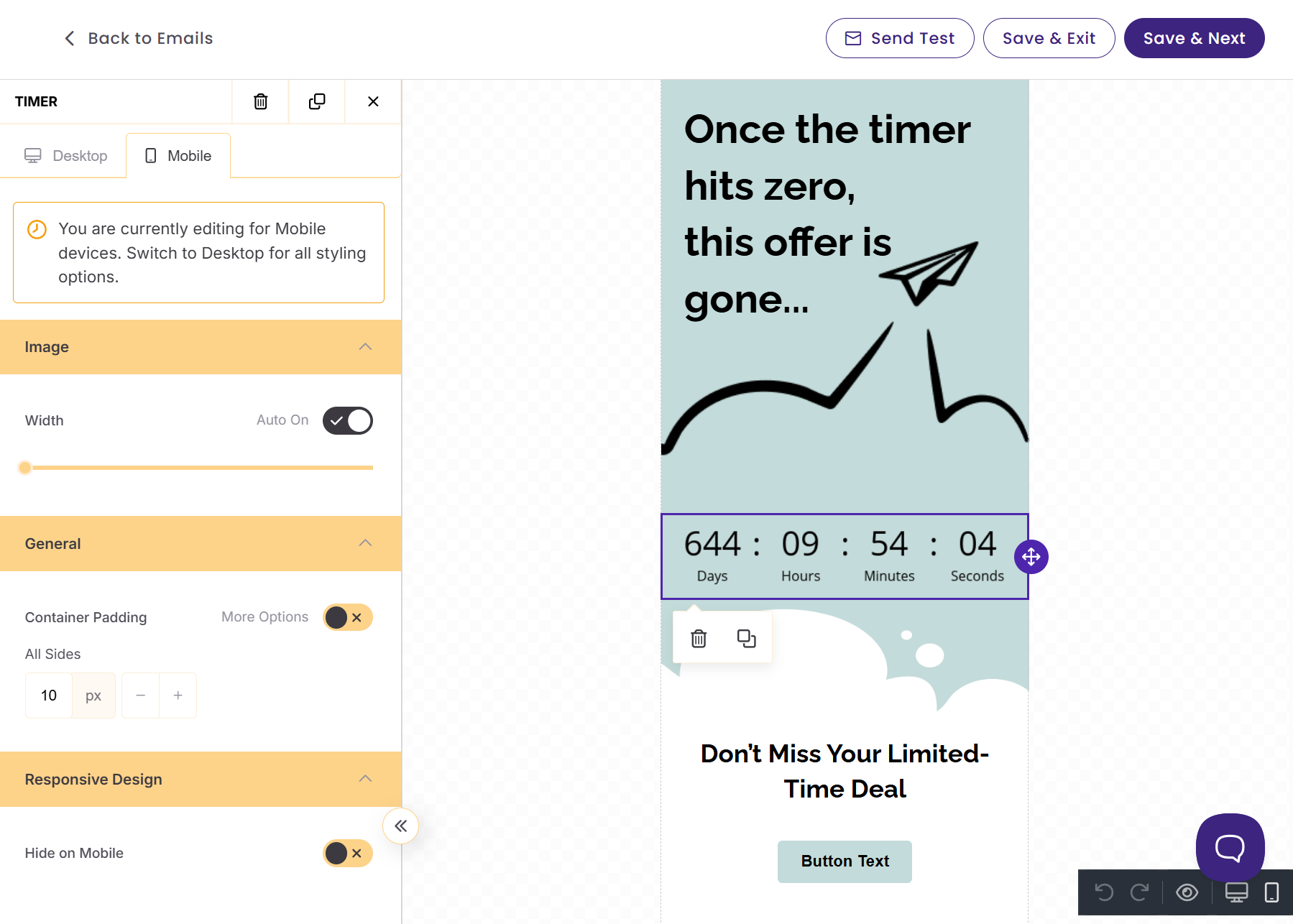 Customizing a template for mobile devices in Benchmark
Benchmark Email seamlessly integrates with popular sales and marketing tools, includes robust testing and optimization features, and comes with AI-powered tools alongside form, landing page, and pop-up builders.
Some of Benchmark Email’s key features are:
- AI-powered drag-and-drop email builder;
- pre-designed email templates;
- pre-defined content blocks;
- AI writing assistant;
- AI-generated images;
- custom HTML editor;
- personalized subject lines;
- email marketing automation;
- email authentication;
- A/B testing.
Cons. Multiple Capterra reviewers report emails landing in spam folders and inconsistent deliverability. It also doesn’t support any other communication channel except for email.
Pricing. Benchmark Email’s free plan includes 500 contacts and 2,500 emails per month. Paid plans start at $19/month, covering 1,000 contacts and 10,000 emails, with access to advanced features like automation and A/B testing included. A pay-as-you-go option is also available for more flexible sending needs.
Emma
G2: 4.0 ⭐ | Capterra: 4.2 ⭐
Emma is a multi-channel marketing platform with tools for creating emails, landing pages, signup forms, and marketing automations. As an alternative to Moosend, it lets users design responsive emails using an intuitive drag-and-drop editor.
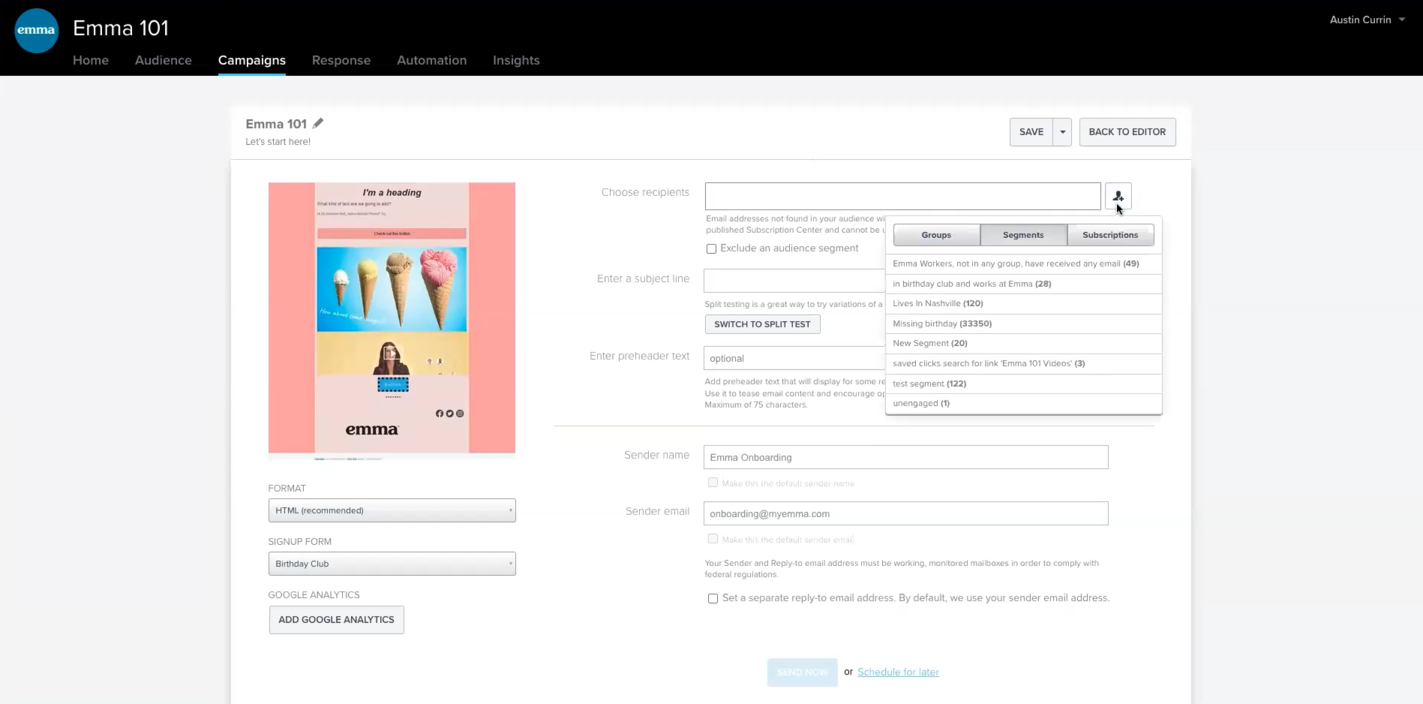 Setting up a new email campaign; source: Emma
Emma supports targeted campaigns based on subscriber activity and includes a segment builder for sorting subscribers by criteria like zip code, birthday, and engagement level. With dynamic content and personalization built in, you can deliver relevant, tailored content to different subscribers from a single email.
Key features of Emma are the following:
- drag-and-drop email editor;
- AI assistant for email creation;
- email template gallery;
- automation builder;
- multiple starting points for email automation;
- email signup forms;
- segmentation and personalization;
- dynamic content;
- email scheduling and smart send;
- A/B testing for content and subject lines.
Cons. The platform offers relatively high prices; all plans require an annual commitment — no monthly billing option is available. Some G2 reviews note limited template customization options.
Pricing. This Moosend competitor doesn’t offer a free plan. Emma’s most affordable paid plan starts at $99/month with an annual contract and supports up to 10,000 contacts. Email send limits aren’t publicly listed, so you’ll need to reach out to their team directly.
Brevo
G2: 4.5 ⭐ | Capterra: 4.6 ⭐
Brevo is a comprehensive digital marketing platform and a great Moosend alternative, offering tools for email, SMS, and WhatsApp marketing, automation, a CRM system, and more. For email marketing specifically, it offers a drag-and-drop editor, ready-made templates, and detailed analytics, as well as segmentation tools and automated workflows for the most common scenarios.
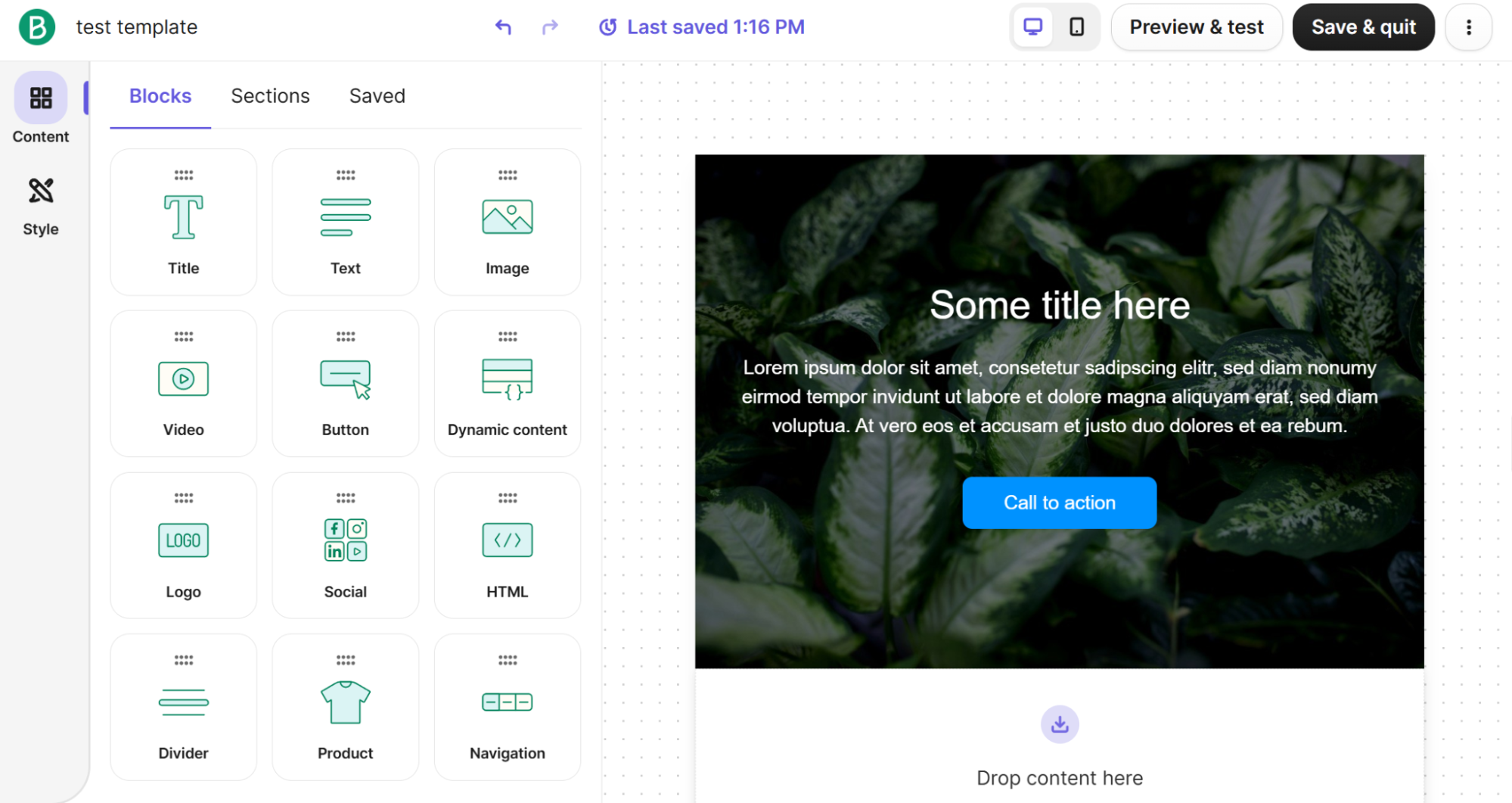 Designing a new template from scratch using Brevo’s email builder
This Moosend alternative also supports multi-channel automation, which lets businesses build automated journeys across different channels from a single platform. Its AI features help optimize sending times and audience targeting, while AI-driven content tools assist with copy creation and optimization. The platform also includes custom forms for growing your mailing list and advanced real-time analytics with click heatmaps.
Brevo offers the following core features:
- drag-and-drop email editor;
- ready-made newsletter templates;
- reusable content sections;
- AI content generator for subject lines and email copies;
- segmentation features;
- dynamic lists;
- automated workflows;
- real-time event triggers;
- eCommerce integrations;
- transactional emails;
- AI-powered predictive sending;
- A/B testing;
- click heatmaps and other analytics insights.
Cons. Brevo charges by emails sent, and the email-volume-based pricing can get expensive for frequent senders. Removing Brevo branding requires an add-on or higher-tier plans.
Pricing. Brevo’s free plan lets you send up to 300 emails per day, including both marketing and transactional emails, with marketing automation available for up to 2,000 contacts. Paid plans start at $8.08/month (billed annually) and include 500 contacts and 5,000 emails per month. A pay-as-you-go option with email credits is also available.
Elastic Email
G2: 4.4 ⭐ | Capterra: 3.9 ⭐
Elastic Email is a robust email delivery platform that offers essential email marketing and email API features. This Moosend alternative allows you to create personalized emails using a drag-and-drop editor, an HTML editor, or pre-made customizable templates. You can also automate email communications based on rules and triggers and monitor delivery performance in real time with detailed analytics, including geolocation tracking and click maps.
Elastic Email also features a built-in AI writing assistant, which helps users quickly craft compelling email content and improve engagement. In addition, Elastic Email offers unique monetization tools for creators, such as paid newsletters, Stripe-powered checkouts for selling digital products, and a link-in-bio page builder.
Contact management is well covered too, with subscription forms, pop-ups, segmentation, personalization, and multi-step automated workflows all included.
This email software offers the following helpful features:
- drag-and-drop email builder;
- HTML editor;
- AI template designer;
- customizable newsletter templates;
- dynamic content and scripting;
- personalization and segmentation features;
- single and bulk email verification;
- paid newsletter feature;
- payment integration with Stripe;
- email marketing automations;
- A/B testing;
- subscription forms and pop-ups;
- real-time delivery insights;
- unsubscribe insights.
Cons. You should note that Elastic Email is built primarily for developers and transactional email rather than for marketers seeking a visual campaign builder with advanced automation.
Pricing. Elastic Email does offer a free plan, but it’s limited to sending emails to yourself, so it’s more of a testing environment than a true free tier. The most affordable paid plan is priced at $19/month and covers up to 1 million contacts and 10,000 emails per month. You can also scale your contact limit or add extra features through available add-ons.
Drip
G2: 4.4 ⭐ | Capterra: 4.4 ⭐
Drip is an excellent eCommerce marketing automation platform that offers plenty of valuable features for online retailers. As an alternative to Moosend, it features a visual email builder that lets businesses design customized emails and incorporate dynamic content like product recommendations and cart URLs.
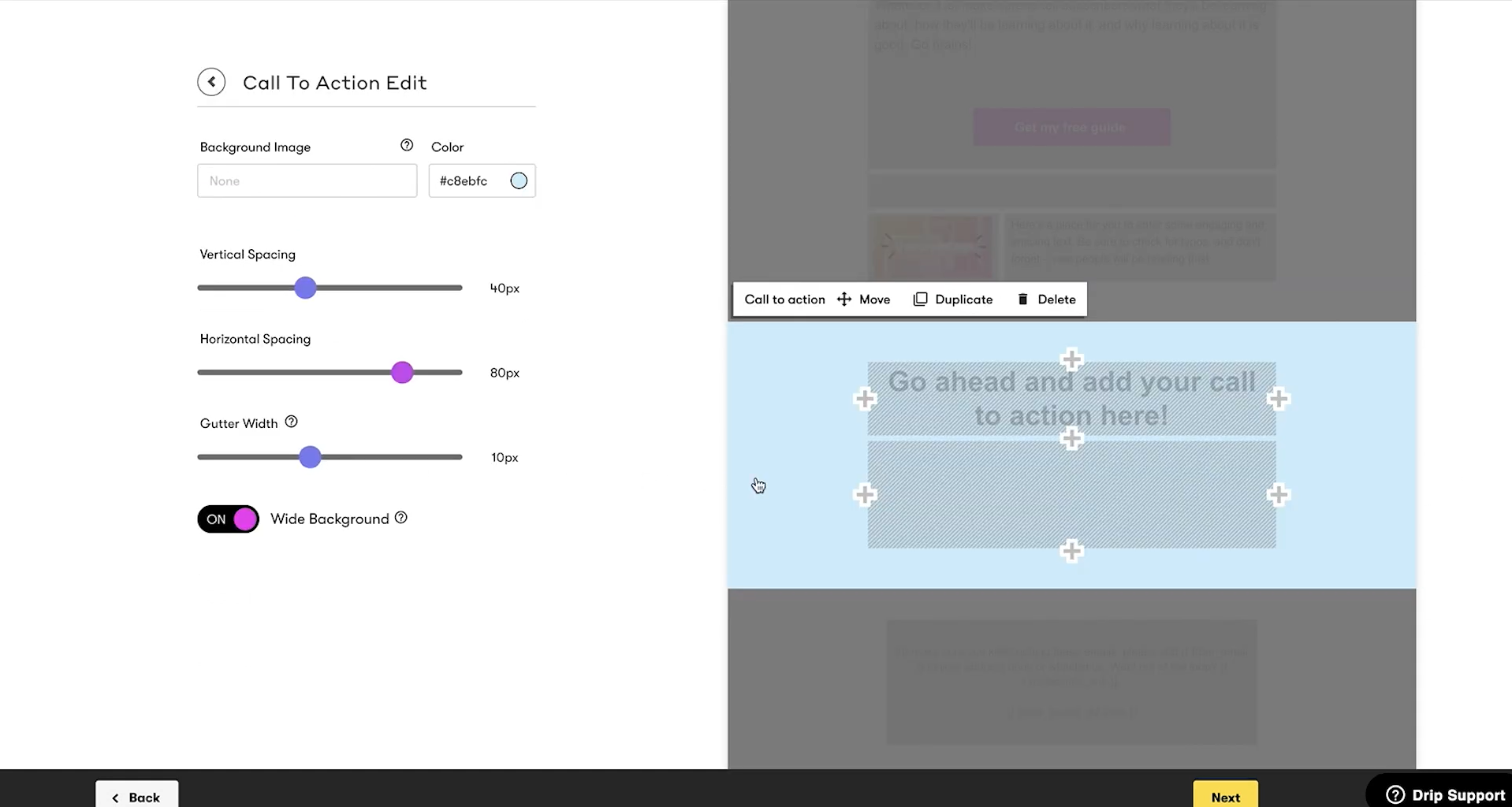 Editing elements in Drip’s email builder; source: YouTube
Its abandoned cart automation is particularly useful, as businesses can automatically follow up with customers and insert the exact items they left behind directly into the email.
Drip also offers a library of 50+ pre-designed templates that are easy to customize, along with brand styling tools that help maintain consistent designs across all your emails. From there, you can build complex automation workflows based on customer behavior, run A/B tests on email content and subject lines, and connect email campaigns with SMS marketing.
Below are some essential features this platform offers:
- visual email editor;
- 50+ eCommerce email templates;
- dynamic content, including product blocks and coupon codes;
- pre-built and custom automation workflows like welcome series and abandoned cart emails;
- behavior-based segmentation;
- dynamic segments;
- market across multiple channels, including email, social, and onsite pop-ups;
- A/B testing.
Cons. Drip is purpose-built for online stores. Non-eCommerce businesses like services, content creators, or nonprofits will find many features irrelevant and the platform less suited to general-purpose email marketing, especially taking into account its higher prices compared to many alternative solutions.
Pricing. Drip doesn’t offer a free plan, but a 14-day free trial is available. Pricing is based on the number of subscribers, with plans starting at $39/month for up to 2,500 subscribers and unlimited email sends.
Sendlane
G2: 4.7 ⭐ | Capterra: 4.2 ⭐
Sendlane is an email marketing automation platform tailored for eCommerce businesses with high sending volume. This competitor to Moosend covers email marketing, SMS marketing, product reviews, and forms. The platform lets you create personalized campaigns with dynamic content that adapts to each recipient, build automated workflows, and A/B test subject lines and email content.
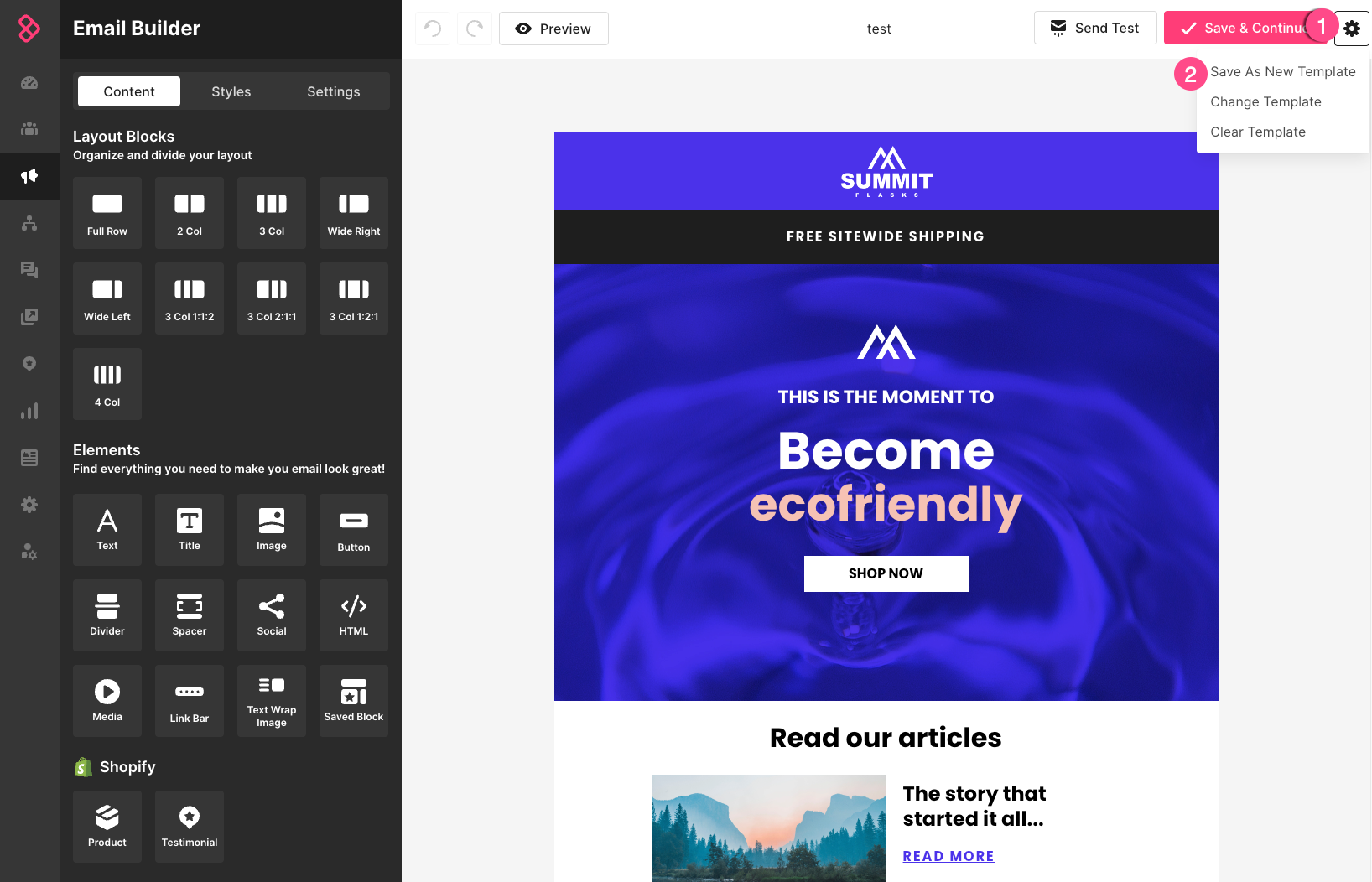 Using a drag-and-drop email builder in Sendlane; source: Sendlane
Sendlane also includes dynamic abandoned cart recovery emails to retarget shoppers and win back lost sales. Its AI-powered send-time optimization determines when each contact is most likely to engage and delivers emails accordingly. On top of that, Sendlane provides robust segmentation and personalization capabilities and a variety of third-party integrations.
Here are Sendlane’s core features:
- drag-and-drop email editor;
- ready-made email templates;
- workflow automation;
- dynamic content;
- behavior tracking;
- multivariable segmentation and personalization;
- machine learning sending time optimization;
- high-volume sending support for eCommerce brands;
- real-time analytics;
- A/B testing.
Cons. Paid plans are priced higher than most competitors, making it a significant investment for small businesses. Besides, general-purpose marketers may find it over-specialized, since it’s primarily eCommerce-focused.
Pricing. Sendlane doesn’t offer a free plan or trial, but you can request a demo. The most affordable plan is billed annually at $1,000/year ($83/month) and includes unlimited contacts and 50,000 emails per month. Keep in mind that support levels vary depending on the plan you choose.
Kit
G2: 4.4 ⭐ | Capterra: 4.6 ⭐
Kit is an email marketing and automation platform built specifically for creators and small businesses that want to grow their audience and generate revenue through email. It provides tools for sending newsletters, building email sequences, and creating automated subscriber journeys.
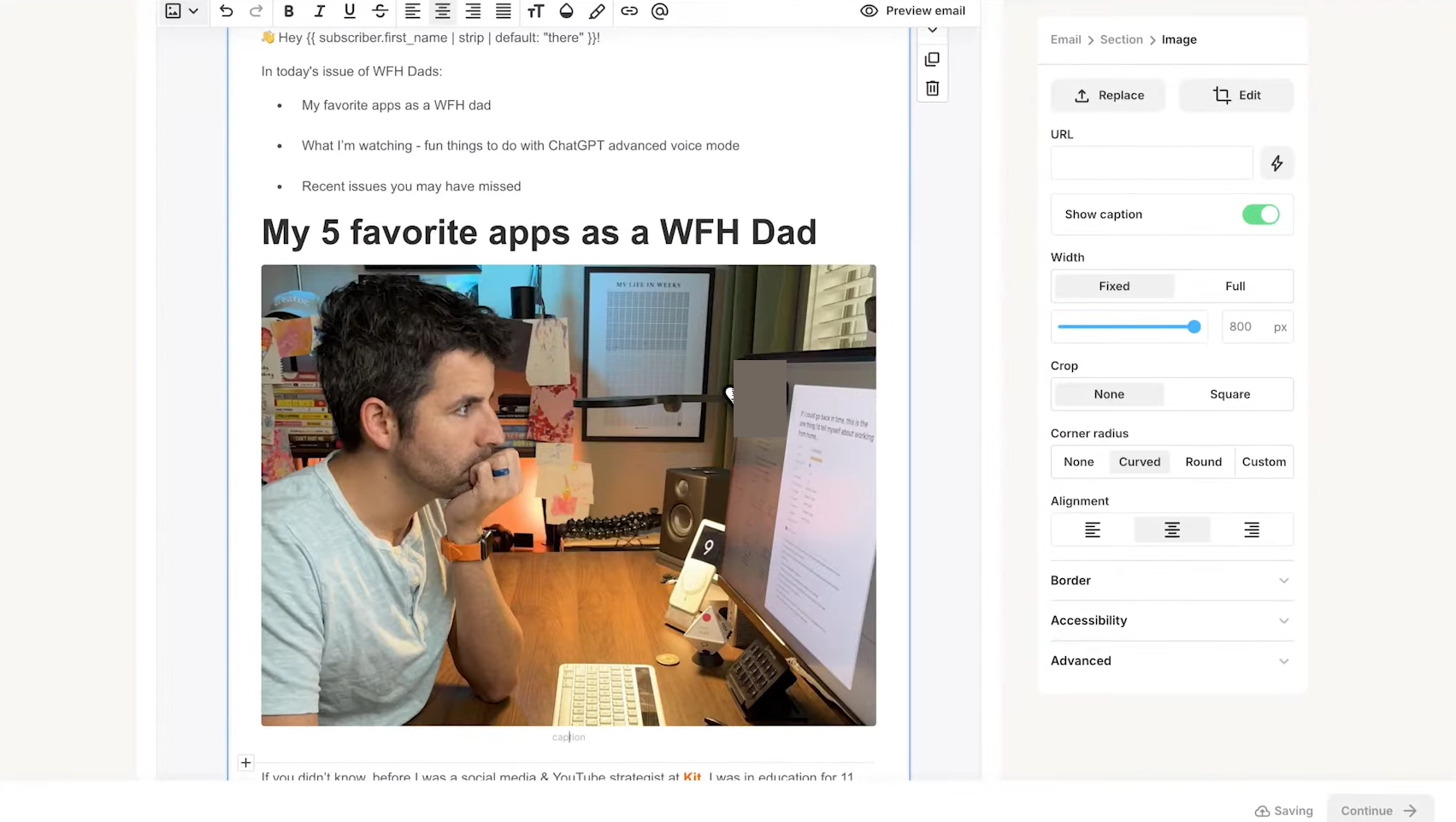 Customizing an email using Kit; source: YouTube
You can also customize your emails with rich media like polls and countdown timers. The visual automation builder makes it straightforward to set up workflows for welcome sequences, product launches, and sales funnels.
This Moosend alternative also includes segmentation and analytics features. Subscribers can be organized by interests, while open, click, and engagement reports give you a clear picture of how your campaigns are performing.
Kit offers a range of essential tools, including:
- drag-and-drop email builder;
- email template library;
- custom email templates with HTML/CSS support;
- conditional email content based on subscriber tags;
- reusable content blocks;
- pre-built automation email funnels;
- automated email sequences like welcome emails, etc.;
- content monetization with paid newsletters, virtual tip jars, etc.;
- A/B tests for up to five subject lines and content variations;
- RSS campaigns.
Cons. Kit is built for bloggers, creators, and newsletters, so it prioritizes plain-text-style emails. As a result, you may find that the visual email builder offers fewer design options compared to other competitors.
Pricing. Kit’s free plan includes up to 10,000 subscribers, unlimited email sends, and 1 basic visual automation. Paid plans start at $33/month (billed annually) for 1,000 subscribers with unlimited emails, plus access to unlimited visual automations, email sequences, and more.
Omnisend
G2: 4.6 ⭐ | Capterra: 4.7 ⭐
Omnisend is an omnichannel marketing platform designed to help brands run engaging campaigns across email, SMS, and push notifications. As a Moosend competitor, it offers a solid set of email marketing tools, including a drag-and-drop editor, customizable templates, and AI features for subject lines, preheaders, and email copy.
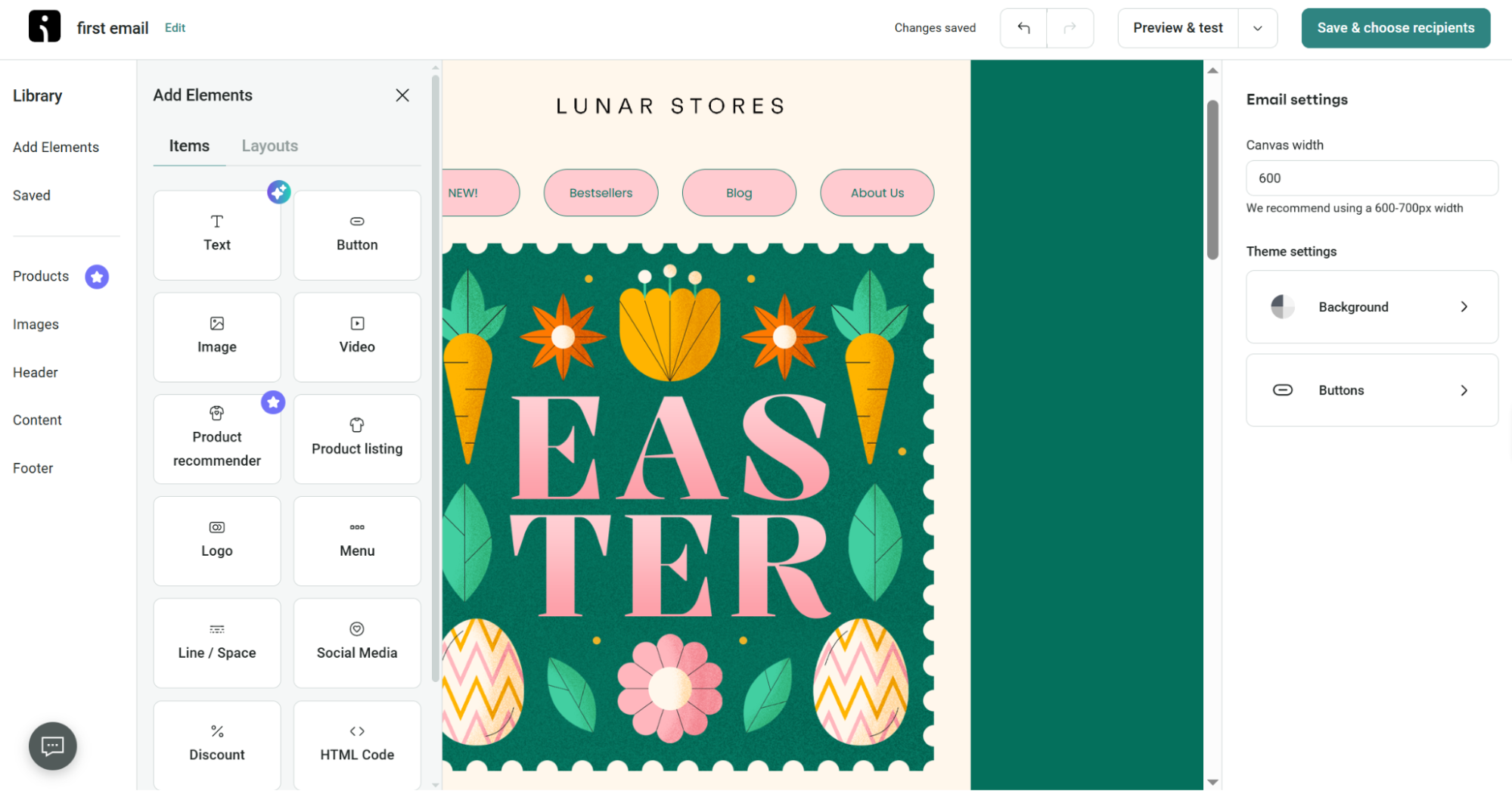 Adding elements to an email template in Omnisend’s builder
Omnisend also delivers advanced personalization through smart segmentation, dynamic content, and A/B testing. Its automation tools support revenue-driving workflows like cart abandonment recovery, campaign resending, and conversion boosters.
Omnisend’s key features include:
- drag-and-drop email editor;
- professional email templates;
- AI subject line and email copy assistant;
- product and conditional content blocks;
- image editor with built-in Adobe Creative Cloud;
- product recommender;
- automated email workflows for cart abandonment, welcome series, etc.;
- pre-built eCommerce workflows;
- A/B testing for channels, messages, subject lines, and more;
- reports on sales, clicks, segments, etc.
Cons. While the free plan includes all features, the 500 email/month cap is low for growing businesses.
Pricing. Omnisend’s free plan covers up to 250 contacts and 500 emails per month, and notably, it includes access to all the features available on paid plans. Paid plans start at $11.20/month when billed quarterly and cover 500 contacts and 6,000 emails per month.
Mailchimp
G2: 4.4 ⭐ | Capterra: 4.5 ⭐
Mailchimp is an AI-powered email marketing and automation platform and a well-known alternative to Moosend. It offers an intuitive email builder with over 130 templates, allowing marketers to design and launch email campaigns quickly. The platform also supports advanced behavior-based automations with 50+ triggers, so businesses can reach customers at the right moment.
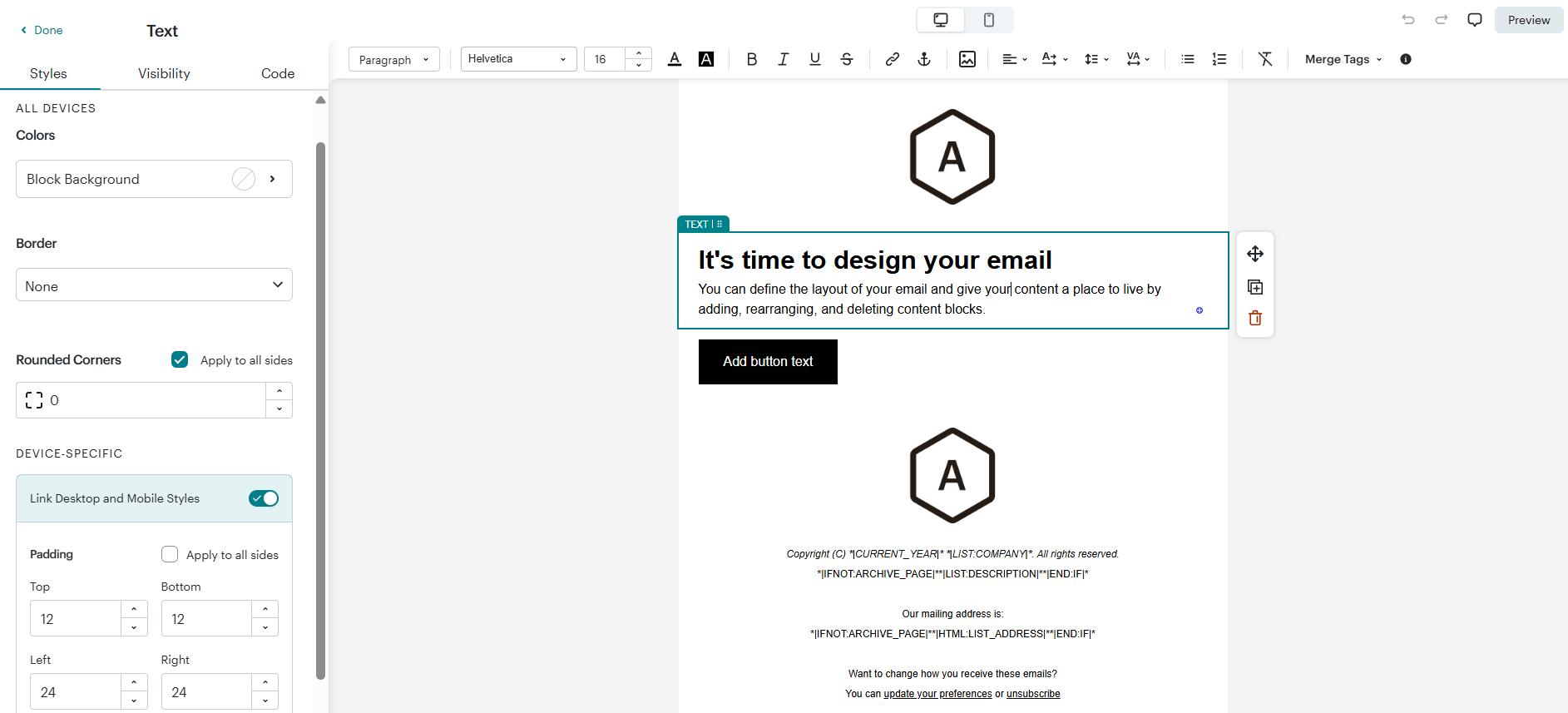 Designing an email using Mailchimp
Mailchimp includes powerful segmentation tools and predictive automations that help identify audiences most likely to purchase or disengage. AI features like generative copywriting assistance and product recommendations make it easier to deliver relevant, personalized messaging at scale.
Among Mailchimp’s primary features are the following:
- pre-built email templates;
- custom-coded templates;
- Content Studio;
- dynamic content;
- generative AI features;
- subject line helper;
- delivery by time zone and send-time optimization;
- multivariate testing;
- predictive and advanced segmentation;
- behavioural targeting;
- marketing automation flows with multiple starting points.
Cons. Mailchimp charges based on the total number of contacts you have, but it doesn’t share data from different audiences. This can lead to duplicate contacts, which increases costs and makes your lists messy. Additionally, the best pricing is only available for the first year; after that, the monthly cost doubles.
Pricing. Mailchimp’s free plan covers 250 contacts and 500 email sends per month; however, many features are heavily limited, including pre-built templates and reporting. Paid plans start at $13/month for 500 contacts and 5,000 emails, offering more flexibility, although advanced capabilities are still reserved for higher-tier plans.
EmailOctopus
G2: 4.2 ⭐ | Capterra: 4.8 ⭐
EmailOctopus is an easy-to-use email marketing platform designed to help users create and send professional campaigns quickly. It offers an intuitive drag-and-drop editor and a large library of pre-built templates that automatically adapt to your brand’s colors and style with no design or coding skills needed. Businesses can easily build newsletters, announcements, promotions, and more.
Beyond campaign creation, this Moosend competitor offers automation features that keep your emails running smoothly in the background. The platform also supports scheduling, personalization, template importing, and flexible customization options.
EmailOctopus includes the following core email capabilities:
- drag-and-drop email editor;
- HTML email builder and templates;
- 100+ mobile-friendly templates;
- personalization with merge tags;
- visual automation builder;
- advanced, multi-step sequences triggered by an action;
- real-time campaign and automation reports.
Cons. The platform supports only emails and basic automation, including simple triggers like contact added, contact tag added/removed, or special date. There are no triggers based on opens, clicks, web behavior, or eCommerce events.
Pricing. EmailOctopus’s free plan includes 2,500 subscribers and 10,000 emails per month, although it’s limited to 1 user, and reporting is only available for the past 30 days. The most affordable paid plan costs $9/month, billed annually, and includes 500 subscribers, 10,000 emails, as well as unlimited users, landing pages, and more.
AWeber
G2: 4.2 ⭐ | Capterra: 4.4 ⭐
AWeber is a well-established Moosend alternative covering email marketing and automation with a solid set of tools. It features a drag-and-drop editor with Canva integration, theme settings for quick branding, and a Smart Designer that automatically generates branded templates. AWeber also offers AI-powered features, including a subject line generator, writing assistant, and newsletter assistant to speed up the campaign creation process.
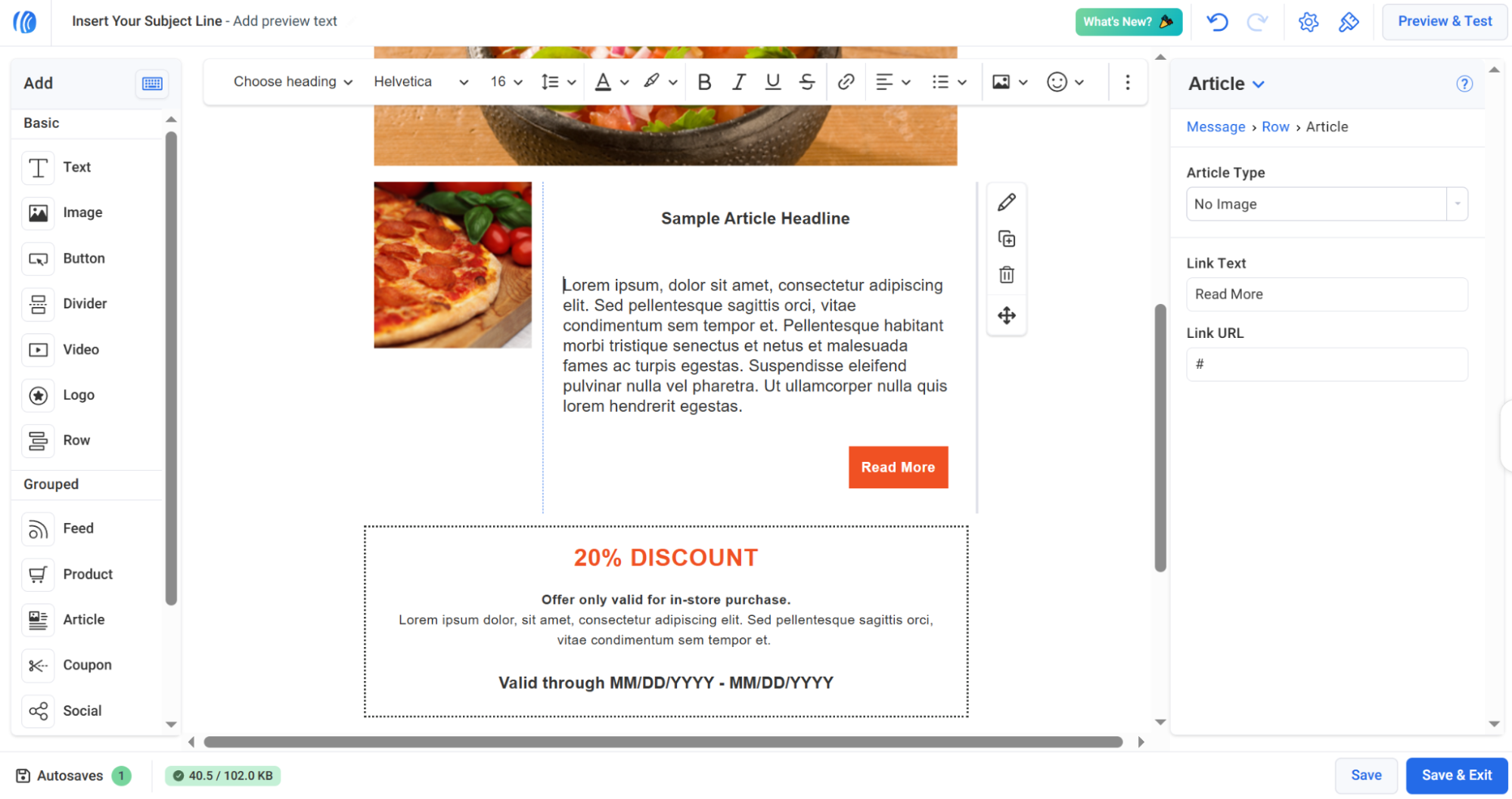 Customizing a pre-made email template using AWeber
AWeber also provides automation tools that turn signups into sales through smart funnels, RSS-triggered emails, and behavioral campaigns based on subscriber actions. The platform also supports advanced personalization with dynamic content, tagging, and segmentation to make sure the right message reaches the right audience.
AWeber comes with core email features like:
- drag-and-drop email builder;
- Smart Designer that auto-generates branded templates;
- AI subject line and writing assistant;
- Newsletter Assistant that generates a weekly newsletter;
- HTML emails;
- dynamic content based on subscriber interests;
- email split testing;
- email automation;
- behavioral automation based on user actions;
- segmentation based on subscriber tagging;
- eCommerce integrations.
Cons. For what you get, AWeber is on the pricier side compared to some competitors. It also doesn’t support SMS marketing via campaigns or automations, which limits multi-channel outreach.
Pricing. AWeber’s free plan covers up to 500 subscribers and 3,000 emails per month. Paid plans start at $12.50/month (billed annually) for 500 subscribers and 5,000 emails, with up to 3 automations included.
The bottom line
There’s no shortage of solid alternatives to Moosend out there, and as this list shows, many of them bring just as much to the table, if not more. The key is finding the one that fits your specific goals, budget, and workflow.
If you feel that SendPulse aligns with your business goals and needs, you can create a free account and test the platform at your own pace.
Beyond email marketing, you’ll have access to a website builder, built-in CRM system, pop-ups, SMS campaigns, and chatbots for multiple messaging platforms, all on one plan. And if the free plan covers your needs, you’re welcome to stay on it for as long as you like. Sign up today and see whether SendPulse is the right fit for your marketing strategy!